
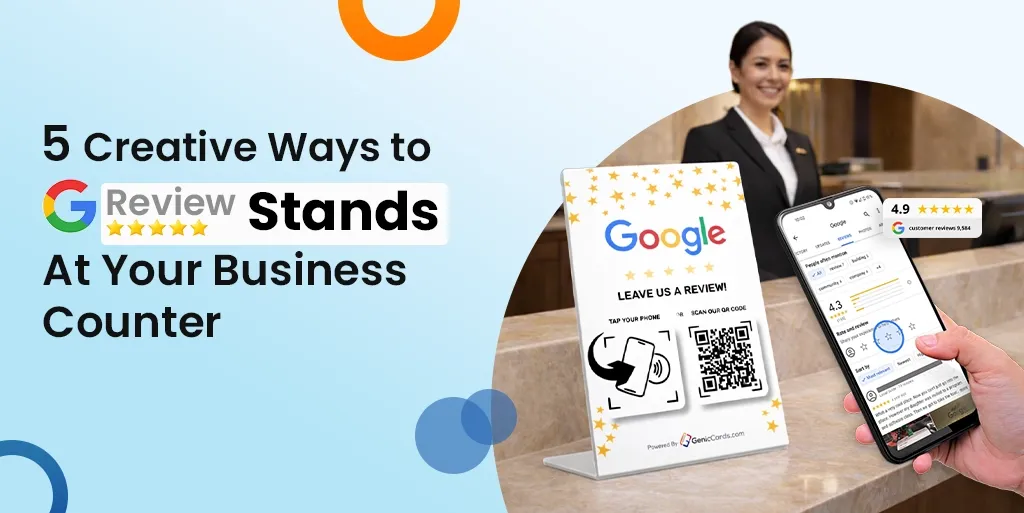



Online reviews shape purchasing choices. A lot of customers examine ratings before they reserve a service, purchase food, or go to a store. It is possible to get excellent feedback on your business by putting a Google review stand near your counter.
Whenever customers pick up their order and pay their bill, they’re pleased to share their experience with other people. That’s the ideal time to guide them. The process may be made natural and simple by supplying a set of business review cards or a well-designed review plate.
The objective is not to pressure anybody but to remind pleased customers to leave a review as the experience remains fresh in their mind.
You are able to quickly display Google review stand devices at your counter. By using these 5 suggestions in this guide, you’ll find out how to utilise review stands to improve the customer experience.
Why a Google Review Stand Works at the Counter
The counter is a decision point. Customers pause there to pay, wait, or speak to staff. This short moment gives you a chance to ask for feedback.
A review stand works because it:
- Removes friction
- Acts as a visual reminder
- Encourages action at the right time
- Makes reviewing simple
When paired with friendly service, it supports trust. Many businesses lose reviews because they never ask. A visible stand solves that problem in a quiet way.
Read Also: How to Get More Google Reviews Using Review Cards
1. Turn Your Google Review Stand into a “Thank You” Display
Make It Part of the Customer Journey
One of the most creative ways to display Google review stand units is to frame them as a thank-you message.
Instead of writing “Leave us a review,” try placing your Google review plate with a message such as:
“Thank you for visiting us. We would love your feedback.”
This tone feels warm and respectful.
Place the stand next to the payment terminal or receipt tray. When customers complete payment, they see the message at once. It feels like a natural step, not a sales push.
Why This Works
Customers like appreciation. A thank you message builds goodwill. When you show gratitude first, customers feel more willing to respond.
This method shows how to use review stands effectively without sounding demanding.
2. Pair the Stand with a Staff Prompt
Train Your Team to Guide the Moment
A Google review stand works best when staff support it.
After a customer says, “The food was great” or “Service was excellent,” your team can reply:
“Thank you. If you would like to share that on Google, you can use our review stand right here.”
This short line feels polite and natural.
You can also keep small business review cards near the counter. If the customer prefers to review later, hand them a card instead.
Why This Works
The key is timing as ask when the customer shows satisfaction, but do not ask during a complaint or rush hour.
This approach shows how to use review stands effectively by linking service quality with feedback collection.
3. Use It as a Social Proof Corner
Show Real Reviews Beside the Stand
Another creative way to display review stand units is to place printed review snippets next to them.
For example:
“Best coffee in town.”
“Friendly staff and fast service.”
Keep the reviews short and clear.
Place them in a small frame beside your review plate. This creates a mini social proof wall at your counter.
Why This Works
When customers see real feedback, they trust your business more. It also reminds them that others leave reviews, too.
This method makes your Google review stand out as part of a story. Customers feel they join a community when they leave their own review.
4. Match the Stand with Your Brand Style
Make It Look Intentionally Intentional
Do not let your stand turn into an afterthought because design is important.
Pick a wooden frame in case your shop includes wooden decor. Maintain the display simple and clean if the brand name uses really clean and contemporary lines.
Your counter could have a customised holder that places your Google review plate in it. Try to keep the layout neat.
Keep your business cards in a little labeled box right near the stand, in case you do not use them for various other uses.
Why Does This Work
A stand that’s properly positioned creates a professional impression. Consumers feel much more confident communicating with something that appears part of the brand.
One of the most ignored methods to show Google review stand setups is this. An excellent presentation can build trust.
5. Combine It with a Limited-Time Campaign
Add a Gentle Incentive
You can run a short campaign to encourage feedback. For example:
“Leave a review this month and enter our thank you draw.”
Make sure the message encourages honest reviews, not only positive ones.
Place this message beside your Google review stand at the counter. Keep the wording clear and fair.
Why This Works
Campaigns create urgency. Customers act when they see a deadline.
This method shows how to use review stands effectively without constant reminders. The campaign does the talking for you.
How to Place Your Google Review for Best Results
Position Matters
Your Google review stand should sit:
- Near the payment area
- At eye level
- Away from clutter
- Close to where customers pause
Avoid hiding it behind products or menus.
Keep the Message Simple
Do not overload the stand with text. A short call to action works best:
“Share your experience on Google.”
Your review plate should guide action in one step.
Mistakes to Avoid When Using Review Stands
Even the very best tools fail if they are utilised improperly. Positioned properly and managed, a Google review stand could make your company successful. In case you must stay away from your reputation, you should safeguard to avoid these common mistakes.
Poor Placement
Do not attempt to conceal your stand behind your products or menus. Place it close to the place of purchase, where customers are able to pause. Visibility is important.
Asking only for 5 star Reviews
Never request only good reviews. Ask for truthful feedback. This generates additional confidence and also makes your profile even more reputable.
Ignoring Negative Reviews
Don’t ignore complaints. You need to respond calmly and, whenever possible, provide solutions.
Forgetting to Reply
A review stand gathers feedback. Your response builds reputation and also demonstrates that you value customers’ voices.
Why Business Review Cards Still Matter
Not Every Customer Reviews on the Spot
The customers, at times, feel hurried when they go to the counter. Other people, when they have more time, would rather leave feedback later on. This is where business review cards come in extremely helpful. A little card may be used as a reminder whenever they leave your store.
An easy Backup to Your Review Stand
Business cards may be utilised to obtain much better reviews when used with a review stand. Provide pleased customers who can not scan the stand. This makes the process easy and also provides them with the freedom to review it at any moment.
Also Read: Google Review Plate vs Review Stand: Which Is Better for Retail Stores?
Conclusion
Google review stands are very simple yet effective. It changes a brief counter – moment into an opportunity.
You are able to develop a smooth feedback process if you put your Google review platform in the proper place, as well as support it with helpful staff members and obvious messaging.
Look for innovative ways to show Google review stand units that are compatible with your brand name. Whenever necessary, pair them with business reviews.
Most customers wish to support their favorite business. All that you need to do is make it easy.
Review stands don’t interrupt service when done properly. They help build trust, improve visibility, and help long-term growth.