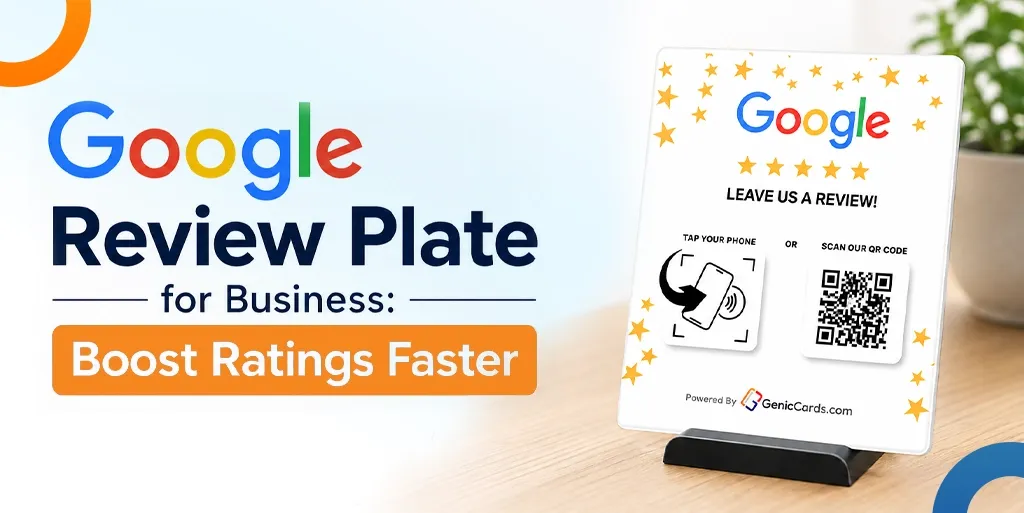



A Google Review Plate helps customers leave Google reviews with a single tap of their smartphone. It removes extra steps, increases review completion rates, improves customer convenience, and helps businesses build stronger online ratings faster.
Customers do not need to type a web address or search for your business online. They simply tap their phone and leave a review in seconds.
In this guide, you will find how a Google Review Plate works, why it beats paper signs, and how to use it in your shop or office, and more.
Still handing out paper cards?
Switch to a Genic Cards digital business card — tap or scan to share your details instantly, no app needed.
What Is a Google Review Plate?
A Google Review Plate is a physical card or stand that holds a small chip. That chip uses NFC technology.
When a customer brings their phone close to the plate, the chip sends a signal. That signal opens the Google review page for your business. The customer does not type anything, but they just tap and rate.
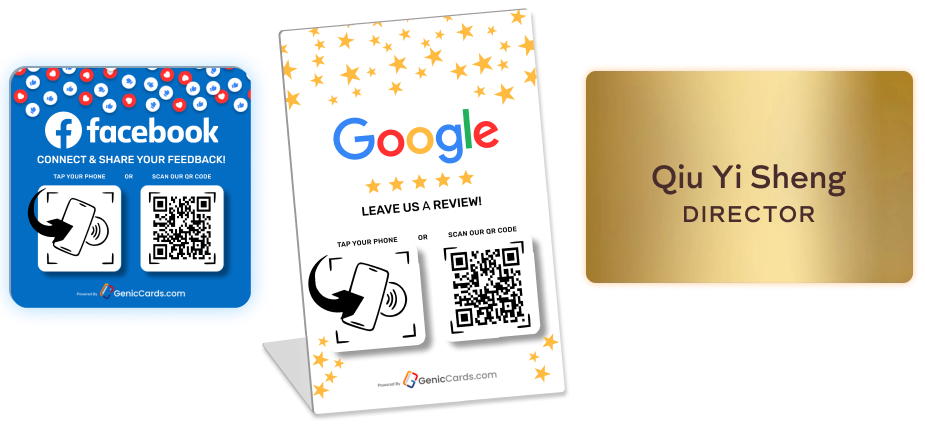
The plate looks like a small acrylic sign. It is placed on a counter, a table, or a reception desk. Some plates come with a stand, while others lie flat like a coaster. Many businesses place the Google Plate next to the payment terminal. That way, customers see it right after they pay.
Why Your Business Needs a Google Review Plate
A Google Plate makes leaving reviews quick and simple, helping businesses collect more reviews with less effort from customers and staff.
Most customers want to leave a review. But they hate the steps like typing a business name and finding the right listing, clicking through menus. But a Google Review Plate removes every annoying step.
Without a Google Review Plate, a customer finishes a meal or service and feels satisfied with their experience. When you ask for a review, they need to open Google, search for your business, find the correct listing, click “Write a review,” and then enter their feedback. This process can take up to 45 seconds, which causes many customers to abandon it before completing the review.
With a Google Plate, the process becomes much simpler. The customer taps their phone on the plate, and the review page opens instantly. They can select a rating and share their feedback in seconds, without searching for your business or typing anything manually.
How Does a Google Review Plate Work?
A Google Plate stores your Google review link on an NFC chip. When a customer taps the plate, their phone opens the review page instantly.
The plate contains an NFC chip. Your smartphone can read this chip. You do not need to install any extra software. The chip stores one piece of information: the link to your Google review page.
When a customer taps their phone on the NFC Review stand, the phone reads that link. The phone then opens the link in the web browser or Google Maps app. The customer sees the familiar Google review screen. They choose a star rating from one to five. They write a short sentence. They post the review.
The plate does not store any customer information. It does not track who taps it. It simply opens a web link. That means no privacy worries. No data collection. Just a fast bridge between your customer and your Google listing.
A Review tap card works the same way. The card uses the same NFC chip. The only difference is the shape. A plate sits on a counter. A card fits in a pocket. Some businesses use both. They keep a Review Plate on the counter. Staff also carry Review-based tap card versions to hand to customers directly.
Where to Place Your Review Plate
The best place for a Review Plate is where customers naturally pause, such as payment counters, reception desks, or exit areas.
Placement decides success. A Review Plate hidden in a corner collects dust. A plate placed at the right spot collects reviews.
Best spot: The payment counter
Most customers stand at the payment counter after a service. They wait for the receipt. They wait for change. This waiting time is perfect for a quick review.
Place the plate right next to the card machine. Add a small sign that says “Tap here to leave a review.”
Second-best spot: The exit door
Customers often leave with a positive impression of their experience. When they see an NFC Review stand placed near the exit, they can quickly tap their phone and leave a review before they walk out. This location works particularly well for restaurants, clinics, and retail stores.
Third spot: The reception desk
For appointment-based businesses like salons or dental clinics, place the plate at the reception desk. Customers check out after their appointment. The staff member hands them a Review-based tap card or points to the Google Review Plate on the desk.
Mobile use: Staff carry a card
For businesses without a fixed counter, staff carry a Google Review card in their pocket. A cleaner finishes a job. A plumber packs up their tools. They hand the card to the customer. The customer taps. The review page opens. The plumber leaves. The review arrives later.
What Are the Google Review Plate Benefits for Small Business Owners
A Google Plate helps small businesses gain more reviews, improve ratings, and reduce the effort needed to collect customer feedback.
Customers often leave with a positive impression of their experience. When they see an NFC Review stand placed near the exit, they can quickly tap their phone and leave a review before they walk out. This location works particularly well for restaurants, clinics, and retail stores. Let’s find some of the Google Review Plate benefits that small businesses can use, as defined below:
Benefit 1: More reviews per week
A coffee shop without a plate gets three reviews per week. The same coffee shop with a Review Plate gets fifteen reviews per week. That is a five times increase. Multiply that by six months. You go from 70 reviews to 350 reviews.
Benefit 2: Better star ratings
Happy customers leave reviews right away. Unhappy customers rarely return to leave a review. But without a plate, even happy customers forget to rate. The plate catches them at their happiest moment. Right after a good meal. Right after a painless clinic visit. Right after a quick service. Those good feelings turn into five-star ratings.
Benefit 3: Less staff effort
Without a plate, your staff asks for reviews. They explain how to find your Google page. They spell the business name. They answer questions. That takes two minutes per customer. With a Google Review Plate, staff just point to the plate. “Tap your phone here.” That takes two seconds. Your staff saves time. Your customers save effort.
Benefit 4: Works for all ages
Younger customers understand NFC tapping. Older customers also understand. The plate works with any smartphone made in the last five years. iPhones and Android phones both work. No app to download. No account to create. Just tap and rate.
How to Get More Google Reviews Fast
Businesses can increase review collection by combining a Google Review Plate with simple staff prompts and strategic placement.
A Google Review Plate brings in steady reviews. But you can speed up the process even more. Here are three simple tricks.
Trick 1: Ask right after payment
The best time to ask for a review is immediately after payment. At this point, the customer has completed their purchase or service, and their experience is still fresh in their mind. Directing them to the Google Review Plate right away increases the chances of receiving a review, while waiting until later may reduce the likelihood of a response.
Trick 2: Add a verbal prompt
A Google Review Plate can help generate reviews on its own, but combining it with a simple verbal reminder can deliver even better results. Train your staff to politely ask for feedback after each transaction by saying, “If you enjoyed your service today, please tap this plate to leave a review.” This personal approach encourages customers to take action and increases the likelihood of receiving a review.
Trick 3: Move the plate around
Customers can become less aware of displays that remain in the same location for long periods. Moving your NFC Review stand to a different spot from time to time can help attract attention and keep it noticeable. Placing it near the door one week and beside the payment terminal the next can encourage more customers to engage with it and leave reviews.
Best Google Review Plate Solutions for Different Businesses
Different businesses benefit from different Google Review Plate styles based on how they interact with customers.
Not every business needs the same plate. A restaurant needs a different solution than a plumbing company. Below are the best Google Review Plate solutions for common business types.
For restaurants and cafes: Counter plate with a stand
- Choose a Google Plate that stands upright.
- Place it next to the menu or the card reader.
- Customers see it while they wait to pay.
- The stand keeps the plate clean and visible.
For clinics and salons: Small plate on the reception desk
- Choose a flat Google Plate that lies on the desk.
- Patients see it as they check out.
- The flat design fits under a pen or a clipboard.
- It does not take up much space.
For trades and home services: Review tap card
- Electricians and plumbers cannot carry a large plate.
- They need a review-based tap card that fits in a wallet.
- The card is credit-card-sized.
- They hand it to the customer after finishing the job.
- The customer taps it with their phone. The review page opens.
For retail stores: Multiple small plates
- Place several Google Review cards at different spots.
- One in the changing room. One at the checkout.
- One near the exit.
- Customers see the plate at three different moments.
- That increases the chance they tap at least once.
How to Set Up Your Review Plate
Setting up a Google Plate takes five minutes. Follow these steps.
Step 1: Get your Google review link
Open your Google Business Profile. Click “Get more reviews.” Copy the short link that appears. This link ends with “review” and a long code.
Step 2: Program the NFC chip
Hold the blank Google Review card near your phone. Your phone asks what action to assign. Paste the review link. Save the action.
Step 3: Test the plate
Tap the NFC Review stand with your phone. The review page should open; if it does not, repeat step two.
Step 4: Place the plate
Put the Review tap card or plate in your chosen spot. Add a small label that says “Tap to leave a review.”
Step 5: Train your staff
Show each staff member how the plate works. Ask them to tap it themselves. Then ask them to point customers to the plate after each sale.
Conclusion
A Google Review Plate takes the friction out of review collection. Customers tap. The review page opens. They rate and leave. The whole process takes ten seconds. No typing, searching, and no frustration. Google Plate benefits include more reviews, better star ratings, and less staff effort.
Place the NFC-based Review stand at your payment counter. Train staff to point customers toward it. Use a Review-based tap card for mobile businesses. Test the plate weekly. Replace any broken chips. The best Review Plate solutions fit your business type and customer flow.
Encourage more customer reviews with Genic Cards NFC-powered review products. Explore now.