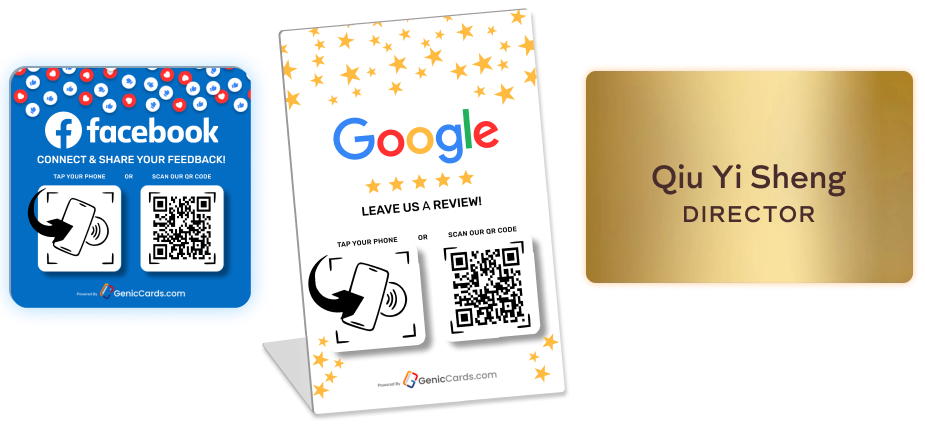
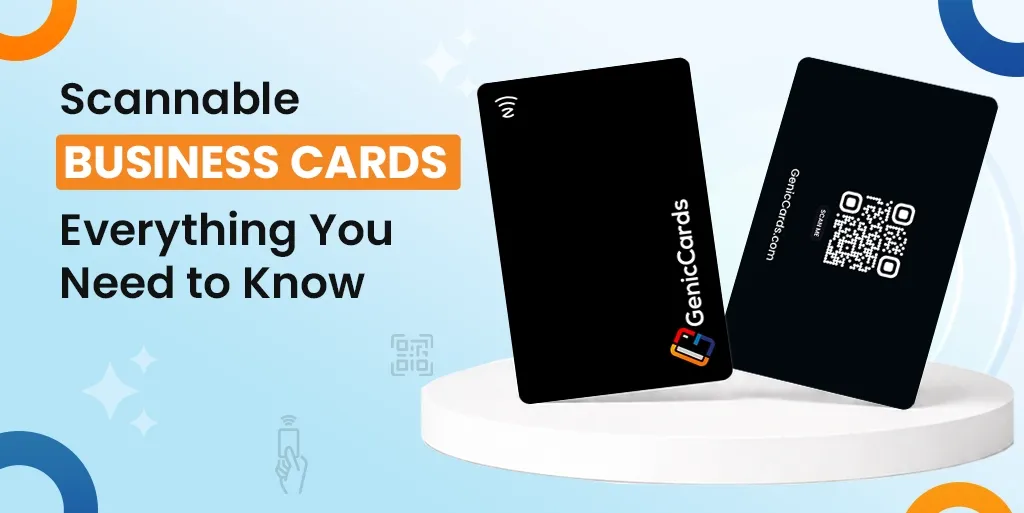



A scannable business card is a modern version of a traditional card that allows people to access your contact details and digital profile instantly by scanning or tapping it with a phone. It removes the need for manual entry and makes sharing information faster, easier, and more efficient.
Business cards have changed. What once held a name and phone number now acts as a gateway to a full digital profile. The QR-based business card sits at the centre of this shift. It blends print with digital access and gives people a faster way to connect.
In this guide, you will learn what scannable cards are, how they work, and why more people now use them in place of standard cards.
Still handing out paper cards?
Switch to a Genic Cards digital business card — tap or scan to share your details instantly, no app needed.
What Is a Scannable or QR Business Card?
A scannable business card is a card that a phone can read. It contains a code or chip. A scannable QR-based business card is a card that a phone can read to open digital content. It uses a code or chip to link to your contact details, profile, or links, allowing users to access everything in seconds without typing.
Most cards use a visible code, often a QR code, printed on the surface. Others use a small embedded chip. In both cases, the goal is the same: quick access without typing.
This small change turns a simple card into a digital tool.
How Scan Cards Work
To understand how scan cards work, you need to see the simple flow. A code or chip stores a link, a phone reads it, and the content opens instantly. When users scan a business card using their phone, it connects the physical card to a digital profile with no delay.
Step-by-step process
- First, a code or chip stores a link
- Next, a phone reads the code or signal
- Then, the link opens on the screen
- Finally, the user can view or save the details
That is all. There is no typing and no delay. In other words, when you scan a business card using your phone, the device acts as a bridge. It connects the physical card to online content in seconds.
What are the Different Types of Scannable Business Cards?
There are several types of scannable QR business cards, including QR code cards, NFC cards, hybrid cards, app-based cards, and image recognition cards.
Each type works differently, but all aim to make sharing details faster and easier through a digital card experience.
QR Code Cards
A QR-based business card uses a printed square code that a phone camera can scan. It is the most common type because it is simple to create and works with almost all smartphones.
It also costs less compared to other options, which makes it a good starting point for anyone new to scannable cards. Many people choose this format as their first step into using a digital scan card.
NFC Business Cards
NFC business cards use a small chip inside the card. Instead of scanning, you tap the card on a phone to open the link.
This removes the need for a visible code and gives the card a cleaner look. It also works faster than scanning in most cases. These cards feel more modern and smooth to use, though they can cost more than a standard QR-based business card.
Hybrid Cards
Hybrid cards combine both QR and NFC features in one card. This means users can either scan the code or tap the card, depending on their device.
It works well for a wide range of users, including those with older phones that may not support tap features. This type offers the most flexibility and ensures that your QR-based business card works in almost any situation.
App-Based Scan Cards
Some cards rely on a dedicated app to scan and store details. When users scan a business card phone, the app reads the card and saves the contact directly.
This type often includes extra features such as note-taking or contact management. It suits people who handle many contacts and want to keep them organised in one place.
Image Recognition Cards
These cards do not use a visible code or chip. Instead, a phone camera reads the printed details using text recognition.
The phone then converts the text into a saved contact. This method keeps the design close to a traditional card while still offering a digital scan card experience. It works best when the print is clear and well-spaced.
Why Scannable Cards Are Growing Fast
The rise of the QR code networking card is not random. It reflects clear shifts in behaviour, technology, and expectations.
- Over 6.8 billion smartphone users worldwide now rely on mobile devices for daily tasks
- More than 85% of professionals use phones for work-related communication
- QR code usage has grown by over 40% in recent years
- Nearly 70–80% of paper business cards are thrown away within a week
- Digital contact sharing can improve follow-up rates by up to 30%
- Around 60% of professionals prefer digital methods over manual data entry
- Billions of QR scans now take place each year across industries
The business world adopted scannable cards because these modern business card types offer today’s essential standard for business operations. People need quick and straightforward communication methods that match their current phone activities through phone scanning. The system eliminates manual data entry because it works with both QR business cards and scan cards to create a smooth networking experience.
Businesses now operate through digital platforms, which serve as their main management system. The world has moved away from physical paper storage because people need to obtain accurate information at the present moment of need.
The business card with scanning abilities enables people to store their information in an organised system, which they can modify at any time and access whenever necessary.
What are the benefits of a QR Code Networking Card
The main scannable business card benefits include faster contact sharing, more space for information, real-time updates, better first impressions, and reduced waste. A digital scan card makes it easy to store, access, and manage contact details without manual effort.
Easy Contact Sharing
Typing details is slow and often leads to small mistakes. Smart business cards remove this step and make sharing instant. When users scan a business card using their phone, they can save your number, open your email, or visit your profile in seconds.
This smooth process helps improve follow-up rates because the information is already stored and easy to access.
More Information in Less Space
A standard card has limited space, which restricts what you can share. A digital card solves this by linking to a full profile.
You can include portfolio links, social pages, booking options, and even videos. This turns your card into a complete digital presence rather than just a basic contact tool.
Real-Time Updates
Printed cards cannot be changed once they are made. If your details change, you often need to print new ones. A contactless business card avoids this problem by linking to content that you can update at any time.
You simply update the information behind the card, and the same card continues to work without any changes.
Better First Impression
Users can achieve smooth experiences through quick scanning methods, which produce clean results. The evidence shows that your organisation operates through modern tools, which demonstrate your knowledge of current work methods.
The way you present yourself to clients during meetings, interviews and events will determine how people decide to interact with you after they first meet you.
Less Waste
People tend to lose paper cards before they end up in the trash within a few days. A digital card reduces this waste by storing details directly on a phone.
The system operates at peak efficiency because it needs fewer printing tasks, which helps decrease the need for multiple printings during various time periods.
Difference Between QR vs Scannable Cards
In the QR vs. scannable cards comparison, a QR card is one type of scannable card that uses a printed code, while others use tap or wireless signals. Both serve the same purpose, but differ in design, speed, and how users interact with them.
| Feature | QR Cards | Other Scannable Cards |
|---|---|---|
| How it works | Uses a printed code | Uses a tap or a wireless signal |
| User action | Needs a camera scan | Tap or quick detection |
| Design | Code is visible on the card | No visible code needed |
| Speed | Fast, depending on the camera | Often faster in some cases |
| Compatibility | Works with most phones | May depend on device support |
| Cost | Usually low | Can be higher |
Which One Is Better?
It depends on your needs. A QR-based business card is a strong choice if you want low cost and wide compatibility across devices.
While other types of scan-based business card options work better if you prefer a cleaner design or a tap-based experience.
In both cases, the goal stays the same: to give quick and easy access to your details through a digital scan card.
How to Use a Scannable QR Business Card
To use a smart business card effectively, keep the design simple, ensure the code is easy to scan, test it on different devices, and link it to a clear and fast-loading profile.
Keep the Design Clean
Do not crowd the card. Make the code easy to see and scan.
Use Clear Instructions
Some users may not know what to do. A short line like “Scan to connect” helps.
Test Before Printing
Always test your card on different phones. Make sure the link opens fast.
Link to a Strong Profile
Your card is only as good as the page it opens.
Make sure your page:
- Loads quickly
- Looks clean
- Shows key details first
Read More: NFC vs QR Code Business Cards: Which Is Better for Networking?
Who Should Use Scannable Cards?
A digital profile card is best for professionals who need quick and effective networking, such as salespeople, freelancers, creatives, and founders. It may be less useful in roles with limited contact sharing, though a digital card can still offer value.
Ideal Users
- Sales professionals
- Freelancers
- Creatives
- Consultants
- Start-up founders
Less Ideal Users
Some roles may not need them as much, such as:
- Jobs with low client contact
- Settings with limited phone use
Still, even in these cases, a simple scan card can add value.
Final Thoughts
Overall, the scannable business card is more than a trend. It solves real problems with traditional cards. It saves time, improves contact sharing, and offers more space for your work.
From a simple QR business card to a full digital card, the idea remains clear. Make it easy for people to reach you.
If you often share your details, this small change can make a big difference.