


The way we distribute contact information has evolved during the present time. People still use paper cards, but these cards do not match the way people interact with each other today. The modern workplace requires staff to exchange information through various digital tools, which demands quick access to accurate data.
Organisations need to create digital business cards that work as their initial contact point with their target audience. The process of contact storage becomes evident when you scan a QR code, tap your phone or click a link that leads to contact information retrieval.
The process demands more than basic information exchange to reach its completion. The guide explains digital business cards through two main sections, which show their operation and explain why people choose digital cards instead of traditional paper-based versions.
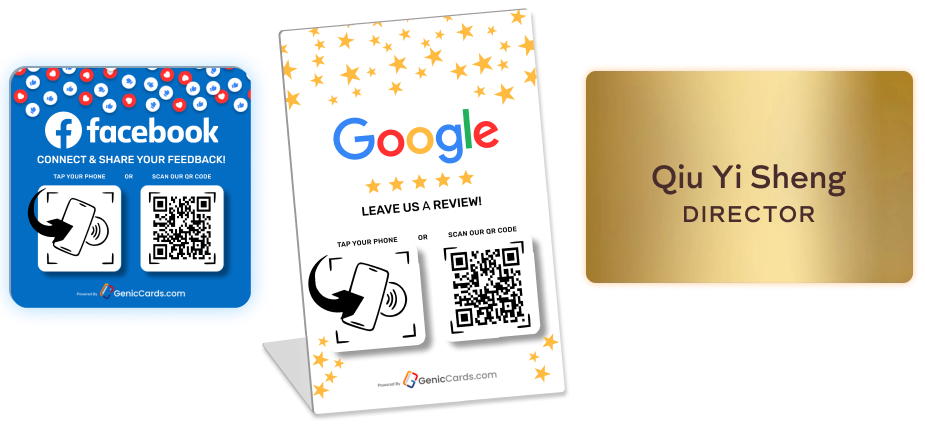
Still handing out paper cards?
Switch to a Genic Cards digital business card — tap or scan to share your details instantly, no app needed.
What is a Digital Business Card?
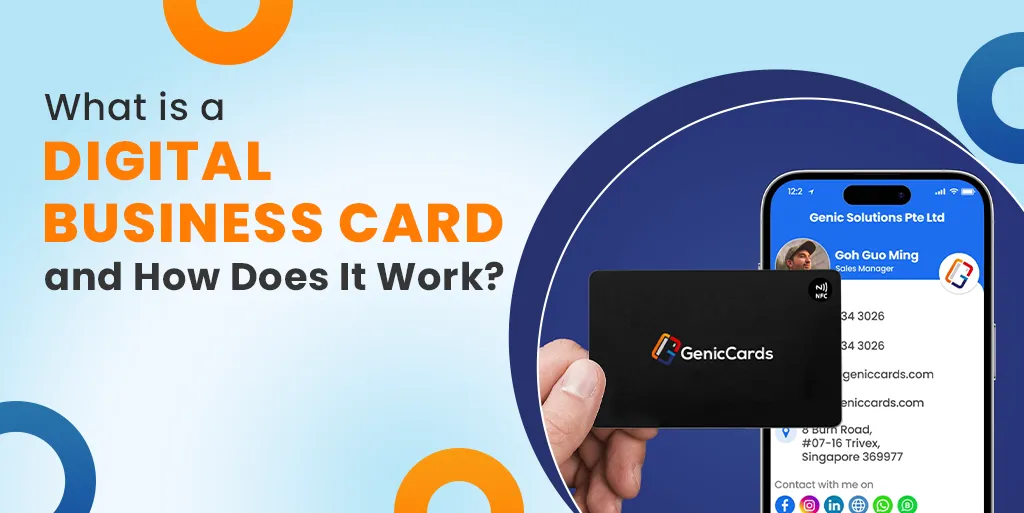
A business card is a modern way to share your contact details using your phone or a link, which replaces the need for a printed card. Instead of handing over paper, you send or show your details in a digital format. This can include:
- Your name
- Job title
- Company name
- Phone number
- Email address
- Website
- Social media links
Also Read: What Is a Digital Business Card and Why It’s the Future of Networking
Why Digital Business Cards Are Becoming Popular
People expect speed and ease. A paper card does not meet that need anymore. Let’s explore a few reasons why the business card is growing fast:
Easy to Share
You do not need to carry anything. Your phone is enough, as you can share your details in seconds.
Always Updated
With a paper card, changes mean reprinting. With an e business card, you update once, and it stays current.
More Than Just Contact Details
A business card digital format can link to your work, your profile, or your calendar. This adds value to every interaction.
Works in Any Setting
You can share your details in person or online. This suits both remote and face-to-face meetings.
How Digital Business Cards Work
Understanding how digital business cards work is simple when you break the process into clear steps. Each step focuses on making it easy to share and save contact details without effort.
Step 1: Create Your Digital Business Card
You start the process of creating your business card by entering your essential contact information. You need to provide your full name, professional title, business affiliation, contact number, and email address.
You can also provide additional details, including your website address and your social media profile links. So you need to select your card appearance after providing all information. Users can upload pictures while selecting colour options to build their preferred design structure.
The design objective requires complete organisation because it must present information that readers will understand through a quick visual assessment.
Step 2: Share Your Card Instantly
You must select the best card distribution method that fits your specific business circumstances once you finish creating your card.
You can show a QR code for someone to scan, send a link through a message or email, or use tap technology by bringing your device close to another phone.
The system will display your card within two seconds on their device screen through any of the three methods.
Step 3: Let Others Save Your Details
The other person can save your contact information to their phone after they open your card.
This usually happens with one tap. It removes errors and saves time. Your details are stored correctly without any effort.
Step 4: Keep Information Updated
The main feature of an electronic business card allows users to update their information whenever they want.
You need to perform a single edit when your phone number, job position or company affiliation undergoes any changes. People who access your card after you make changes will receive access to your updated version.
Step 5: Track Basic Engagement
Some e business card formats also show simple activity. The system tracks when users open your card and which links they decide to click. This helps you understand if someone is interested or plans to follow up.
Key Features of a Digital Biz Card
A business card in a digital format offers more than just contact details. It comes with features that make networking easier.
Real-Time Updates
You can change your details at any time. Your contacts always see the latest version.
Custom Design
You can match your card to your personal or business style. This helps you stand out.
Interactive Elements
You can include links to:
- Your website
- Your portfolio
- Booking pages
- Social profiles
This turns your card into a small hub of information.
Contact Saving
Your details can be saved with one tap. This removes friction and saves time.
Digital Business Card Benefits
There are many digital business card benefits that make them a strong choice today.
Saves Time
Sharing details takes seconds as there is no need to search for a card or type information.
Reduces Cost
Printing cards again and again can add up. A digital card removes that cost.
Supports the Environment
Less paper means less waste. This is a simple step towards more responsible choices.
Improves Accuracy
Manual entry often leads to errors, but a digital format keeps information correct.
Better Engagement
You can include links and content that give people more reasons to connect with you.
When to Use a Digital Business Card
A digital card works well in many everyday situations where quick and easy sharing matters.
Networking Events
At events, you often meet many people in a short time. A card in digital format allows you to share your details in seconds using a QR code or tap. This helps you connect faster without running out of cards.
Online Meetings
During virtual calls, you can send your electronic business card through chat or email. This makes it easy for others to save your details without interrupting the conversation.
Sales Conversations
In sales, first impressions matter. An e business card lets you share links to your products, services, or booking page, giving more value than basic contact details.
Social Media
You can add your card link to your profile and let people reach you directly and view your details anytime.
Common Questions About Digital Business Cards
Are Digital Business Cards Secure?
Most e-business card formats are safe if they use proper protection. It is important to choose a secure setup and avoid sharing sensitive data.
Do They Replace Paper Cards?
Not fully. Some people still prefer paper. But the business card is becoming the main choice in many industries.
Do You Need an App?
Not always. Many digital cards work through links or built-in phone features.
Best Practices for Using a Digital Business Card
To get the most from your digital card, follow a few simple practices that keep your information clear and useful.
Keep It Simple
Only present the most essential information, which should include your name and position, together with your primary communication channels. A clean card is easier to understand and leaves a better impression.
Use Clear Design
Make sure your text is easy to read. Choose simple colours and a neat layout. The design should stay free of unnecessary elements because users need to locate essential information quickly.
Add Useful Links
Include links that offer value. This could be your website, portfolio, or a booking page. These links enable users to proceed with their next required step.
Keep It Updated
Check your details often. You should update your information immediately when any changes occur because this practice keeps your data both accurate and trustworthy.
The Future of Digital Business Cards
The way people connect will keep changing. The digital card will likely grow with it.
Smarter Integration
In the future, a digital business card will connect more deeply with everyday tools. Contact details may sync directly with phone books, email platforms, and simple customer systems. This will reduce manual work and make follow-ups quicker.
Clearer Interaction Tracking
Tracking features will become more refined. Users may see when their card is opened, how often it is viewed, and which links get attention. This helps people understand interest and improve how they connect with others.
More Personalisation
Design and content options will expand. A card in digital format may adjust based on who views it or where it is shared. This makes each interaction feel more relevant.
Growing Digital Demand
As work and communication shift online, the need for quick and simple sharing will rise. An electronic business card will become a natural part of daily networking.
Final Thoughts
Overall, A digital business card replaces the place of traditional paper cards. People now connect through a digital platform, which this tool matches perfectly.
So, digital cards serve as the modern equivalent of business cards, which you can easily understand. People can use this system to access their identification details while learning how to reach their contact numbers through an automated process which operates at high speed.
The business card benefits make it clear why more people are making the switch. The system allows users to save their work time while slashing their business expenses and building better relationships with their professional network.
The system enables users to build links that stay straightforward and functional for today’s professional working environment.