🌳 Your first step towards Sustainability | The Smart Business Card. 🌳

Business Card NFC Technology Explained for Beginners

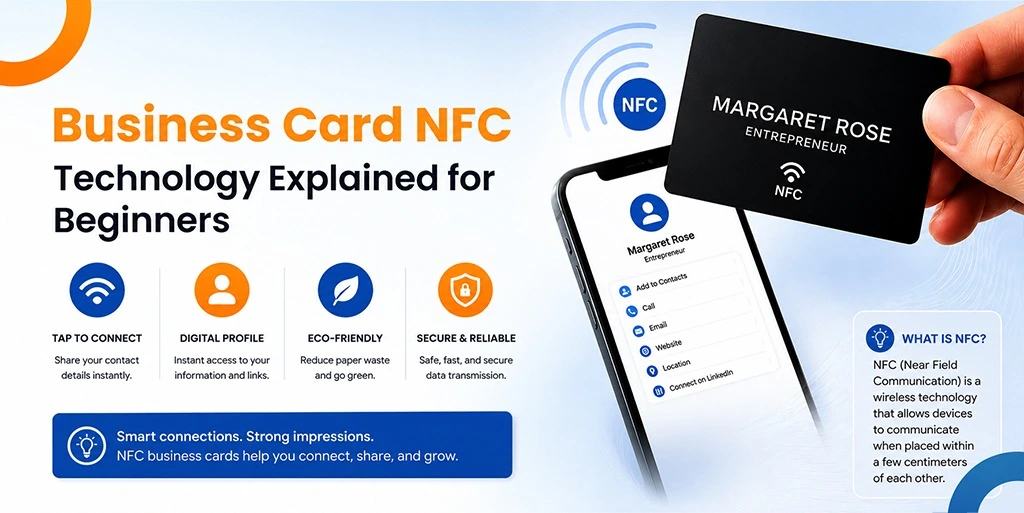
An NFC business card is a digital business card that uses Near Field Communication (NFC) technology to instantly share contact details, websites, social media profiles, and other business information with a smartphone through a simple tap.

With a simple tap, an NFC-enabled card can share contact information, website links, social media profiles, and other details straight to a smartphone. People do not need to type information by hand or carry large stacks of printed cards.

If you are new to this technology, this guide will walk you through the basics. You will learn what NFC is, how it works, the benefits it brings, and why more businesses now embrace it.

What Is Business Card NFC Technology?

NFC stands for Near Field Communication, which helps two devices exchange data through this wireless system that activates when they move close to each other.

Most modern smartphones already include NFC features. People encounter this technology during their daily activities because they use contactless payment systems and public transportation services.

The business card NFC contains a microchip that enables digital information storage and access through its built-in storage system. Users who touch the card to a suitable smartphone will receive immediate access to the card details, which appear on their mobile phone display.

The procedure completes within seconds because it operates without cables and requires no battery power or internet access for the card to function.

How Does NFC Card Technology Work?

NFC card technology uses a small chip and antenna inside a card to send information to a nearby smartphone. To understand NFC card technology, it helps to look at the basic parts inside the card. An NFC-enabled card contains:

The chip can guide users to:

When a smartphone moves within a few centimetres of the card, the phone gathers the stored information through radio signals.

What Makes an NFC Business Card Different from a Traditional Business Card?

An NFC business card can share and update digital information, while a traditional card only displays printed details.

Traditional business cards only show printed information. When details change, people must print new cards.

An NFC business card works in a different way. Instead of locking information onto paper, it links users to digital content that people can update. This means users can refresh:

The physical card stays the same while the linked information remains current. This flexibility helps professionals keep details accurate without ordering new cards.

What Are the Main Benefits of Business Card NFC Technology?

NFC Business card technology offers faster networking, lower printing costs, and a more modern way to share information. There are many reasons why the business card NFC continues to gain popularity across different industries.

How Does NFC Help People Network Faster?

NFC cards allow people to exchange contact details within seconds. People no longer need to type contact details by hand. A quick tap delivers information almost instantly. This creates a smoother networking experience at:

How Can NFC Business Cards Create Better First Impressions?

NFC cards provide a modern and memorable networking experience. Modern technology often sparks curiosity and interest.

When someone receives information through an NFC tap, the experience can leave a stronger impression than a standard paper card.

Can NFC Business Cards Reduce Printing Costs?

Yes, NFC business cards can reduce the need for frequent reprints.

Traditional cards require fresh printing whenever information changes. With NFC cards, users can often update details digitally while keeping the same physical card. This can lower long-term printing costs.

Are NFC Business Cards Better for the Environment?

Yes, one NFC card can replace many printed cards and help reduce waste. Look for ways to cut waste. Since one NFC card can replace hundreds of printed cards over time, it can support sustainability goals.

Can an NFC Business Card Share More Information?

Yes, NFC cards can connect users to much more information than a standard paper card. While a paper card offers limited space. An NFC card can unlock access to:

This allows professionals to share much more information than a traditional card.

Is NFC Technology in Cards Safe?

Yes, NFC technology in cards is generally safe because it only works across a very short distance.

Security remains important whenever people share information digitally. Many people wonder whether NFC technology in cards offers a safe option. The good news is that NFC works across a very short distance, usually only a few centimetres.

This short range helps prevent unwanted connections. Most NFC cards simply direct users to information that owners already choose to share publicly. Businesses should still follow good security practices, including:

These steps help keep information accurate and protected.

Where Can Smart Card NFC Technology Be Used?

Smart card NFC technology supports networking, identification, event management, and customer engagement.

The use of smart card NFC technology reaches far beyond networking. Many organisations use NFC-enabled cards in different ways.

How Do Companies Use NFC Cards for Employee Identification?

Companies use NFC cards to identify employees and manage building access.

How Does NFC Support Event Registration?

NFC cards help attendees check into events quickly and efficiently.

How Can Businesses Use NFC for Customer Engagement?

Businesses can use NFC cards to share product information and promotional content. Businesses can share product information, promotional content, and service details through NFC interactions.

Why Is NFC Popular for Digital Networking?

NFC makes sharing professional information quick and simple. Professional networking remains one of the most popular uses of NFC cards. The ability to exchange information in seconds makes them valuable in many business settings.

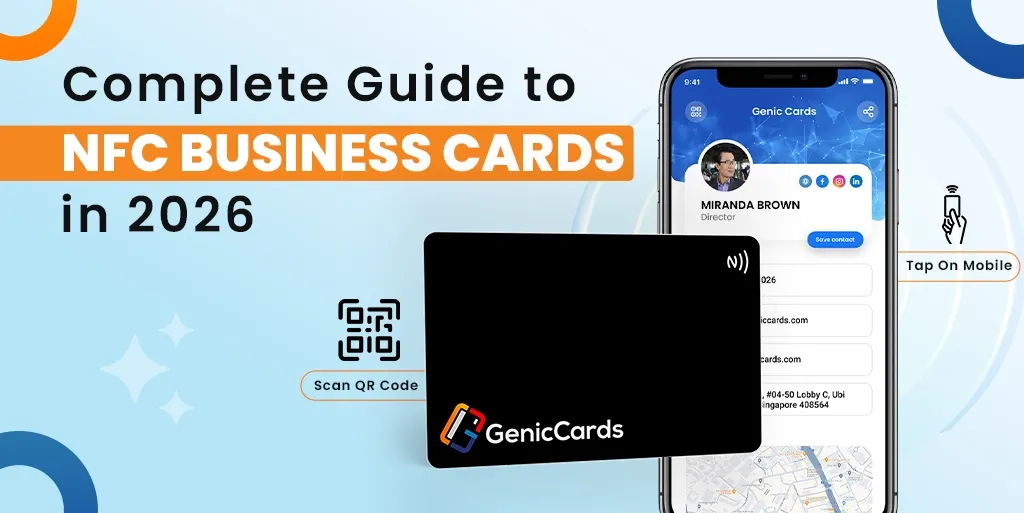
Read Also: Complete Guide to NFC Business Cards in 2026

How Does NFC Technology Support Business Compliance?

NFC technology can support organised information sharing and help businesses manage digital records more effectively.

Many organisations focus on stronger governance and better record management. Digital systems can support these efforts by creating more organised information-sharing processes.

Smart compliance tracking in Singapore businesses remains a popular subject that people continue to study in various geographical areas.

Businesses search for digital solutions that let them handle their documentation while keeping their data correct and helping them fulfill their regulatory obligations. NFC cards function as communication and networking tools, but they also operate within digital systems that boost organisational productivity.

How Should You Choose the Right Smart Card NFC Solution?

The right smart card NFC solution should offer compatibility, security, easy updates, and a smooth user experience.

If you are considering a smart card NFC solution, several factors deserve attention.

Is the NFC Card Compatible with Different Smartphones?

The card should work with major smartphone operating systems. Make sure the card works with major smartphone platforms.

Can You Update Information Easily?

A good NFC card should allow digital updates without replacing the card. Choose options that allow users to update information without replacing the card.

Does the Solution Offer Strong Data Security?

Secure information management should be a key feature. Look for systems that support secure information management.

Does the Card Reflect Your Professional Brand?

The card design should match your professional image. The card should reflect a professional image and brand identity.

Is the User Experience Simple?

Both the card owner and recipient should find the process easy to use. A smooth experience encourages more people to engage with the shared information.

What Does the Future Hold for NFC Business Cards?

NFC business cards will continue to grow as digital networking becomes more common. The demand for digital networking tools continues to rise.

As smartphones become more capable, NFC technology will likely weave itself deeper into daily business interactions.

Future developments may include:

The goal remains the same: helping people share information faster, easier, and more efficiently.

Conclusion

Business card NFC technology offers a straightforward, modern system that lets users share their business details through effective digital solutions. Professionals who need to build digital connections must have tools that enable them to initiate fast exchanges that create enduring professional bonds.

An NFC business card removes the limitations of traditional paper cards by allowing instant access to contact details, websites, social profiles, and other important information with a single tap. The system decreases printing expenses while promoting environmental sustainability and provides proper document updates through non-disruptive card replacement. The system serves various professional groups, including entrepreneurs, consultants, sales teams, and business owners.

The development of digital communication will lead to NFC business cards becoming standard networking tools that users will use to build better relationships with others through their professional network.

Google Review Plate for Business: Boost Ratings Faster

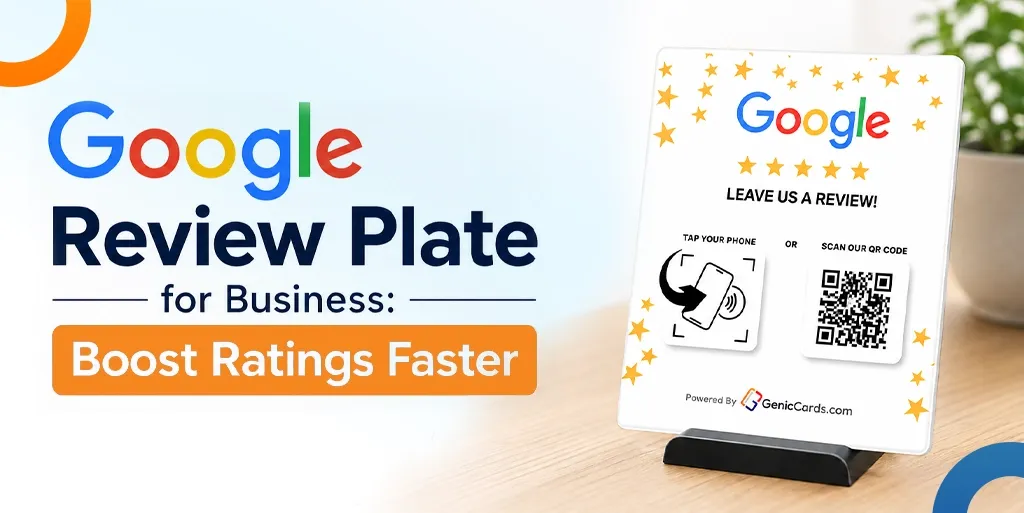
A Google Review Plate helps customers leave Google reviews with a single tap of their smartphone. It removes extra steps, increases review completion rates, improves customer convenience, and helps businesses build stronger online ratings faster.

Customers do not need to type a web address or search for your business online. They simply tap their phone and leave a review in seconds.

In this guide, you will find how a Google Review Plate works, why it beats paper signs, and how to use it in your shop or office, and more.

What Is a Google Review Plate?

A Google Review Plate is a physical card or stand that holds a small chip. That chip uses NFC technology.

When a customer brings their phone close to the plate, the chip sends a signal. That signal opens the Google review page for your business. The customer does not type anything, but they just tap and rate.

The plate looks like a small acrylic sign. It is placed on a counter, a table, or a reception desk. Some plates come with a stand, while others lie flat like a coaster. Many businesses place the Google Plate next to the payment terminal. That way, customers see it right after they pay.

Why Your Business Needs a Google Review Plate

A Google Plate makes leaving reviews quick and simple, helping businesses collect more reviews with less effort from customers and staff.

Most customers want to leave a review. But they hate the steps like typing a business name and finding the right listing, clicking through menus. But a Google Review Plate removes every annoying step.

Without a Google Review Plate, a customer finishes a meal or service and feels satisfied with their experience. When you ask for a review, they need to open Google, search for your business, find the correct listing, click “Write a review,” and then enter their feedback. This process can take up to 45 seconds, which causes many customers to abandon it before completing the review.

With a Google Plate, the process becomes much simpler. The customer taps their phone on the plate, and the review page opens instantly. They can select a rating and share their feedback in seconds, without searching for your business or typing anything manually.

How Does a Google Review Plate Work?

A Google Plate stores your Google review link on an NFC chip. When a customer taps the plate, their phone opens the review page instantly.

The plate contains an NFC chip. Your smartphone can read this chip. You do not need to install any extra software. The chip stores one piece of information: the link to your Google review page.

When a customer taps their phone on the NFC Review stand, the phone reads that link. The phone then opens the link in the web browser or Google Maps app. The customer sees the familiar Google review screen. They choose a star rating from one to five. They write a short sentence. They post the review.

The plate does not store any customer information. It does not track who taps it. It simply opens a web link. That means no privacy worries. No data collection. Just a fast bridge between your customer and your Google listing.

A Review tap card works the same way. The card uses the same NFC chip. The only difference is the shape. A plate sits on a counter. A card fits in a pocket. Some businesses use both. They keep a Review Plate on the counter. Staff also carry Review-based tap card versions to hand to customers directly.

Where to Place Your Review Plate

The best place for a Review Plate is where customers naturally pause, such as payment counters, reception desks, or exit areas.

Placement decides success. A Review Plate hidden in a corner collects dust. A plate placed at the right spot collects reviews.

Best spot: The payment counter

Most customers stand at the payment counter after a service. They wait for the receipt. They wait for change. This waiting time is perfect for a quick review.

Place the plate right next to the card machine. Add a small sign that says “Tap here to leave a review.”

Second-best spot: The exit door

Customers often leave with a positive impression of their experience. When they see an NFC Review stand placed near the exit, they can quickly tap their phone and leave a review before they walk out. This location works particularly well for restaurants, clinics, and retail stores.

Third spot: The reception desk

For appointment-based businesses like salons or dental clinics, place the plate at the reception desk. Customers check out after their appointment. The staff member hands them a Review-based tap card or points to the Google Review Plate on the desk.

Mobile use: Staff carry a card

For businesses without a fixed counter, staff carry a Google Review card in their pocket. A cleaner finishes a job. A plumber packs up their tools. They hand the card to the customer. The customer taps. The review page opens. The plumber leaves. The review arrives later.

What Are the Google Review Plate Benefits for Small Business Owners

A Google Plate helps small businesses gain more reviews, improve ratings, and reduce the effort needed to collect customer feedback.

Customers often leave with a positive impression of their experience. When they see an NFC Review stand placed near the exit, they can quickly tap their phone and leave a review before they walk out. This location works particularly well for restaurants, clinics, and retail stores. Let’s find some of the Google Review Plate benefits that small businesses can use, as defined below:

Benefit 1: More reviews per week

A coffee shop without a plate gets three reviews per week. The same coffee shop with a Review Plate gets fifteen reviews per week. That is a five times increase. Multiply that by six months. You go from 70 reviews to 350 reviews.

Benefit 2: Better star ratings

Happy customers leave reviews right away. Unhappy customers rarely return to leave a review. But without a plate, even happy customers forget to rate. The plate catches them at their happiest moment. Right after a good meal. Right after a painless clinic visit. Right after a quick service. Those good feelings turn into five-star ratings.

Benefit 3: Less staff effort

Without a plate, your staff asks for reviews. They explain how to find your Google page. They spell the business name. They answer questions. That takes two minutes per customer. With a Google Review Plate, staff just point to the plate. “Tap your phone here.” That takes two seconds. Your staff saves time. Your customers save effort.

Benefit 4: Works for all ages

Younger customers understand NFC tapping. Older customers also understand. The plate works with any smartphone made in the last five years. iPhones and Android phones both work. No app to download. No account to create. Just tap and rate.

How to Get More Google Reviews Fast

Businesses can increase review collection by combining a Google Review Plate with simple staff prompts and strategic placement.

A Google Review Plate brings in steady reviews. But you can speed up the process even more. Here are three simple tricks.

Trick 1: Ask right after payment

The best time to ask for a review is immediately after payment. At this point, the customer has completed their purchase or service, and their experience is still fresh in their mind. Directing them to the Google Review Plate right away increases the chances of receiving a review, while waiting until later may reduce the likelihood of a response.

Trick 2: Add a verbal prompt

A Google Review Plate can help generate reviews on its own, but combining it with a simple verbal reminder can deliver even better results. Train your staff to politely ask for feedback after each transaction by saying, “If you enjoyed your service today, please tap this plate to leave a review.” This personal approach encourages customers to take action and increases the likelihood of receiving a review.

Trick 3: Move the plate around

Customers can become less aware of displays that remain in the same location for long periods. Moving your NFC Review stand to a different spot from time to time can help attract attention and keep it noticeable. Placing it near the door one week and beside the payment terminal the next can encourage more customers to engage with it and leave reviews.

Best Google Review Plate Solutions for Different Businesses

Different businesses benefit from different Google Review Plate styles based on how they interact with customers.

Not every business needs the same plate. A restaurant needs a different solution than a plumbing company. Below are the best Google Review Plate solutions for common business types.

For restaurants and cafes: Counter plate with a stand

For clinics and salons: Small plate on the reception desk

For trades and home services: Review tap card

For retail stores: Multiple small plates

How to Set Up Your Review Plate

Setting up a Google Plate takes five minutes. Follow these steps.

Step 1: Get your Google review link

Open your Google Business Profile. Click “Get more reviews.” Copy the short link that appears. This link ends with “review” and a long code.

Step 2: Program the NFC chip

Hold the blank Google Review card near your phone. Your phone asks what action to assign. Paste the review link. Save the action.

Step 3: Test the plate

Tap the NFC Review stand with your phone. The review page should open; if it does not, repeat step two.

Step 4: Place the plate

Put the Review tap card or plate in your chosen spot. Add a small label that says “Tap to leave a review.”

Step 5: Train your staff

Show each staff member how the plate works. Ask them to tap it themselves. Then ask them to point customers to the plate after each sale.

Conclusion

A Google Review Plate takes the friction out of review collection. Customers tap. The review page opens. They rate and leave. The whole process takes ten seconds. No typing, searching, and no frustration. Google Plate benefits include more reviews, better star ratings, and less staff effort.

Place the NFC-based Review stand at your payment counter. Train staff to point customers toward it. Use a Review-based tap card for mobile businesses. Test the plate weekly. Replace any broken chips. The best Review Plate solutions fit your business type and customer flow.

Encourage more customer reviews with Genic Cards NFC-powered review products. Explore now.

Google Review Stand: What It Is and How It Helps Businesses

A Google review stand is a simple tool that businesses use to make it easy for customers to leave Google reviews on-site, helping attract new customers and strengthen their online reputation.

Nowadays, what customers say online plays an important role in a business’s success. People often check Google reviews before visiting a shop, trying a service, or buying a product. Positive reviews attract new customers, while negative feedback can discourage them.

Businesses need simple ways to gather honest and timely feedback. A review stand powered by Google offers an easy, effective solution. By providing a visible, easy-to-use tool, businesses can encourage customers to leave reviews immediately.

In this guide, you will explore what a Google review stand is, how it works, the benefits it offers, and how businesses can use it to improve their reputation and grow their online presence.

What Is a Google Review Stand?

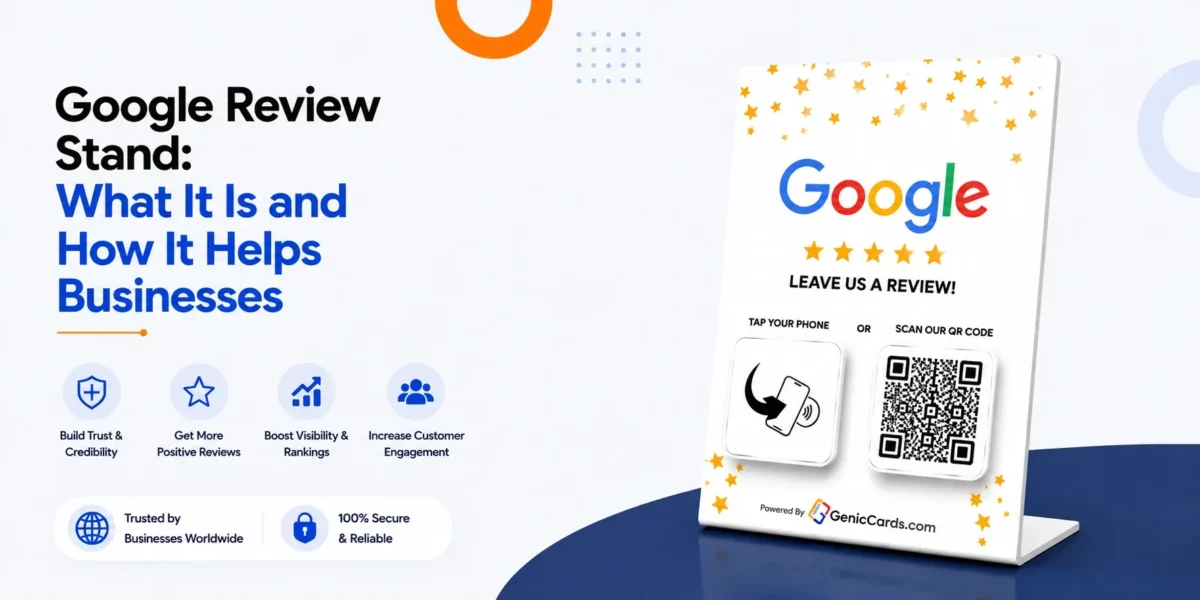
A Google review stand is a small display placed in a business to guide customers to leave Google reviews quickly and easily, often using NFC, QR codes, or printed instructions.

The stand usually has a review card stand or a Google review plate that shows customers where to write their Google review.

How Does a Google Review Stand Work?

It works by allowing customers to instantly access the Google review page through NFC taps or QR code scans, making the process fast and convenient.

NFC and QR Technology

A review stand NFC works with Near Field Communication. Customers touch their phone to the stand, and Google opens the review page. They do not need to search online or type anything.

For phones without NFC, many stands feature QR codes on a Google plate or review card stand. Customers scan the code, and the review page appears.

Step-by-Step Use

Here’s how people use a review stand:

  1. Find the stand: Put it near checkout or the service desk.
  2. Tap or scan: Use NFC or scan the QR code.
  3. Open review page: The Google review page pops up.
  4. Write a review: Add a rating and comment, then submit.

Businesses benefit because customers leave reviews when the process is quick and simple.

What are the Benefits of a Review Stand

It helps businesses collect more reviews, improve customer experience, encourage honest feedback, strengthen online reputation, and showcase brand personality.  Let’s find out more about the Google review stand benefits below:

Gather More Reviews

One major benefit of Google Review Stand is that it helps businesses increase Google reviews efficiently.

When leaving a review takes just a few seconds, more customers take the time to share their experiences.

Quick and simple access encourages participation, turning casual visitors into active contributors to your online reputation.

Make Customer Experience Better

A review stand or a Google plate can come with clear instructions for customers.

When customers know what to do, they will enjoy leaving a review. Customers will feel good about the process and the convenience of leaving a review for the business.

Encourage Honest Feedback

By encouraging customers to leave reviews on-site, the reviews will be genuine. Customers will be prompted to leave real comments on the review stand, rather than leaving generic feedback online.

Strengthen Online Reputation

By gathering more reviews and ratings, a business will appear to the public to be reliable and trustworthy.

Companies that ask their customers for reviews will have more confidence in potential customers and have more credibility as a business.

Show Brand Personality

By customising the review stands with a company logo, colours, or designs, the business will be reinforcing its brand identity. This will also act as a subtle marketing tool for the business.

What are the Different Types of Google Review Plates

Businesses can choose from review card stands, Google plates, or NFC-enabled review stands depending on their needs and budget.

Review Card Stand

A review stand holds printed cards or instructions for leaving reviews.

Such a business tool costs very little and works perfectly for small businesses. Customers can use the review card or instructions to leave reviews for the business.

Google Review Plate

A Google review plate is a small sign that businesses can place in a visible location within their establishment. The plate can include QR codes or links that will take customers directly to the business’s review page on Google.

The plate is made from durable materials that will allow it to remain in place for businesses that want to encourage their customers to leave reviews.

NFC-Enabled Review Stand

An NFC-enabled review stand will allow customers to tap their phones to open the business’s review page. The stand uses near-field communication technology to allow customers to access the page easily.

These review stands are ideal for locations that receive a lot of foot traffic and where customers are likely to use their phones.

How to Use a Review Stand Effectively?

Place it visibly, give clear instructions, encourage customers politely, and monitor reviews regularly.

Place the Stand in the Right Spot

Put the stand where customers pause naturally, such as checkout counters, waiting areas, or entrances. People must see it to use it.

Give Simple Instructions

The Google review plate or review stand should explain the steps clearly. Use arrows or pictures showing tapping or scanning.

Encourage Customers

Staff can remind customers politely. Phrases like “Your feedback helps us improve” work well. Keep it friendly and easy, not pushy.

Watch Reviews

Check reviews regularly. Reply to both good and critical feedback. This shows customers their thoughts matter.

Who Can Use a Google Review Stand?

Any business with customers can benefit, from shops to clinics and service centres. Examples:

This tool works well where people check reviews before choosing a business.

Tips to Get the Most from a Review Stand

Offer rewards, refresh the design, train staff, track reviews, and link feedback to marketing.

  1. Link with Rewards: Offer small gifts or points for leaving reviews.
  2. Refresh the Design: Keep the stand attractive and branded.
  3. Train Your Team: Staff should know how the stand works to help customers.
  4. Track Results: Count reviews and check quality to see success.
  5. Use With Marketing: Connect the stand feedback to social media or emails.

Common Questions About Google Review Stands

Customers can use QR or NFC, as it boosts reviews, and even simple stands are cost-effective.

Can Customers Use It Without NFC?

Yes. QR codes or instructions on a review card, a stand or a Google plate help everyone leave reviews.

Does It Really Increase Google Reviews?

Yes. When reviewing takes seconds, more customers share their experiences. Businesses can gather more reviews and higher ratings.

Is It Expensive?

It depends on the material, design, and NFC. Even simple review stands give big benefits by encouraging more reviews.

Conclusion

Overall, A Google review stand makes reviewing simple, increasing reviews and strengthening a business’s online reputation.

A review stand helps businesses increase positive Google reviews and build a stronger reputation online. Whether using a review card stand, a Google plate, or an NFC review stand, the key is ease and visibility.

So, place the stand where customers see it, give clear steps, and gently encourage feedback. This helps businesses collect real opinions, improve services, and attract new customers.

Investing in Google review cards makes reviewing simple. Customers share their experience easily, which builds trust, improves search visibility, and strengthens reputation.

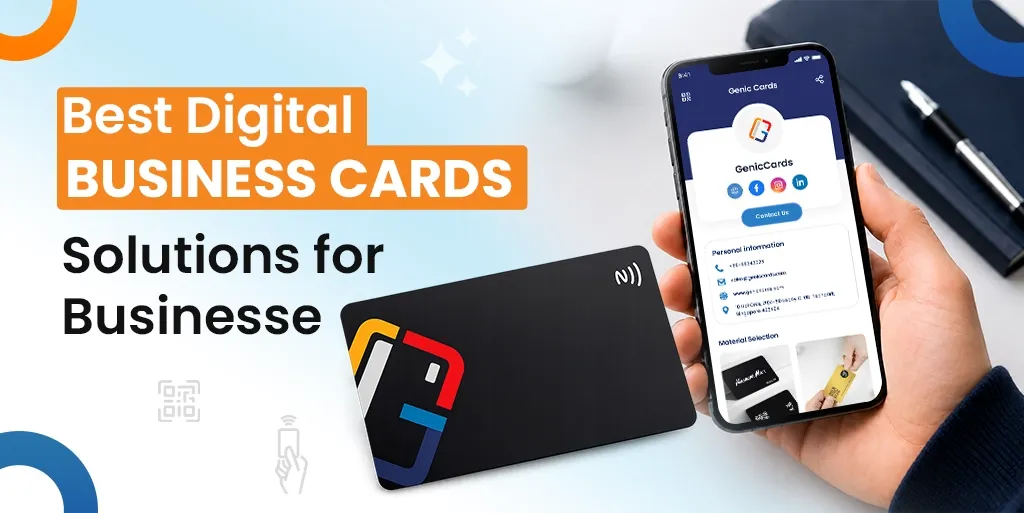
Best Digital Business Card Solutions for Businesses

Digital business cards help businesses share contact details faster, improve networking, reduce printing costs, and manage team branding more effectively.

Paper business cards still exist, but many businesses now want faster and smarter ways to share contact details. This is where the virtual business card comes in, which allows people to exchange their contact information through digital cards that offer sharing options via phone devices, QR codes, email addresses and website links.

This guide will show you the top virtual business cards that businesses should select by analysing their core features and how to choose the best one.

What Is a Digital Business Card?

A digital business card is an online version of a traditional business card. It stores contact details in a digital format that people can share through smartphones, tablets, laptops, or QR codes.

Most cards include:

Some advanced solutions also support:

A digital biz card works well for sales teams, consultants, agencies, startups, and enterprises that want faster and easier networking.

Why Businesses Prefer Digital Cards

Easy Contact Sharing

People can save contact details in seconds. There is no need to type phone numbers or email addresses manually.

Better for Remote and Hybrid Work

Many meetings now happen online. An online business card makes sharing details simple during virtual meetings, webinars, and remote sales calls.

Lower Printing Costs

Paper cards require printing and re-printing. Digital cards reduce these costs.

Faster Updates

Employees change roles, numbers, and addresses. A digital card can be updated instantly without replacing old stock.

More Professional Branding

Businesses can create branded profiles with logos, colours, and company information.

Better Data Tracking

Some smart digital card systems provide analytics. Businesses can see how many people viewed or saved the card.

Features to Look for in the Best Digital Card Platform

Not all platforms offer the same features. Businesses should focus on tools that support growth, branding, and team management.

QR Code Sharing

QR codes help users share details quickly during meetings, events, and conferences.

Mobile-Friendly Design

A virtual business card should work smoothly on all devices.

Contact Saving

The card should allow contacts to save details directly to their phone.

Team Management

Large businesses need admin controls to manage employee cards from one dashboard.

Branding Options

Businesses should be able to add logos, colours, and brand elements.

CRM Integration

Sales teams benefit when leads move directly into CRM systems.

Analytics and Tracking

Tracking features help businesses understand engagement and lead activity.

Security and Privacy

Data security matters for every business. Strong access controls and secure hosting are important.

Top Digital Business Card Solutions for Businesses

Businesses now have many options when choosing a digital business card platform. Some solutions focus on simple networking, while others support enterprise management, analytics, and lead generation. Below are some of the most recognised platforms in the market today.

Genic Cards focuses on smart networking through NFC-enabled virtual business cards and QR-based sharing. The platform allows users to share contact information instantly with a simple tap or scan, without requiring another app.

One of the strongest parts of Genic Cards is its balance between simplicity and business functionality. The platform supports:

These features make it suitable for freelancers, SMEs, consultants, and growing sales teams.

Genic Cards also supports profile updates in real time. This means users can change contact details, links, and branding without replacing physical cards. The platform highlights sustainability by helping businesses reduce paper card usage.

Another useful feature is multi-profile support. Users can switch between different business identities or profiles using the same NFC card, which is helpful for professionals handling multiple brands or roles.

For businesses focused on networking events, client meetings, and modern brand presentation, Genic Cards provides a practical mix of digital sharing, lead tracking, and professional branding.

Why Choose Genic Cards?

Businesses often choose Genic Cards because it combines simple networking with practical business features. The platform supports both NFC tap sharing and QR code access, which makes contact sharing quick during meetings, events, and sales interactions.

Genic Cards also works well for businesses that want:

Another advantage is ease of use. Teams can share contact details without asking customers to install an app. This creates a smoother networking experience for both businesses and clients.

For SMEs and growing teams, Genic Cards offers a balance between affordability, branding, and modern networking tools while helping businesses move away from paper-based cards.

Uniqode offers enterprise-focused smart business card solutions with strong QR code management, analytics, team controls, and CRM integration. The platform supports branded templates, lead capture, bulk card creation, and advanced security features for large organisations.

Popl lets people connect during business events, and its main users include sales teams who use the platform for their work. The platform allows users to share information through NFC technology and QR codes while also supporting lead capture functions and CRM system connections. The system enables users to exchange their contact information swiftly while it helps organisations build superior business relationships during their attendance at conferences, exhibitions and sales meetings.

HiHello delivers digital smart business cards that let users design their own branding, while they can share contacts and handle team operations through their platform. Remote network access, employee onboarding and company branding maintenance between different teams represent common business uses for this technology.

Blinq delivers a user-friendly platform that enables professionals and businesses to start using their services with minimal setup requirements. The platform enables users to share QR codes while providing functionality for email signature management, wallet access and virtual business card distribution through both mobile devices and internet-based meetings.

V1CE combines premium physical NFC cards with digital networking tools. The platform focuses heavily on branding and design, making it popular among professionals who want a modern and stylish networking experience with tap-to-share functionality.

Comparison Table of Digital Biz Card Solutions

Choosing the right digital biz card platform depends on business size, networking goals, branding needs, and team management requirements. The table below compares some of the most recognised digital card tools for business.

Platform Best For Key Features Team Support Branding Options Analytics
Genic Cards SMEs, sales teams, consultants NFC sharing, QR codes, brochure sharing, lead management, multi-profile support Yes Strong custom branding Yes
Uniqode Enterprises and large organisations QR management, CRM integration, admin controls, bulk card creation Advanced High-level branding Advanced
Popl Events and networking teams NFC sharing, lead capture, CRM tools, and event networking Yes Good branding support Yes
HiHello Remote teams and growing businesses Contact sharing, employee management, and virtual cards Yes Customisable profiles Basic analytics
Blinq Professionals and startups QR sharing, wallet integration, email signatures Limited Simple branding Basic
V1CE Premium branding and executive networking NFC cards, stylish designs, smart sharing Moderate Premium design focus Limited

Also Read: What is a Digital Business Card and How Does It Work?

How to Choose the Right Smart Digital Card Solution

Businesses should choose a digital card solution based on scalability, ease of use, branding features, analytics, integrations, and security.

Define Your Business Needs

Start with simple questions:

Consider Future Growth

Choose a solution that can scale with the business.

Focus on Ease of Use

Employees should be able to share and update cards without technical training.

Review Security Features

Businesses should check:

Test Before Buying

Most providers offer demos or trial versions. Businesses should test:

Final Thoughts

Overall, the best digital name cards enable businesses to distribute their information at high speed while they build their brand identity, and they can control their workforce better. The right solution selection between startup, small business and enterprise operations will boost your networking abilities and improve how you connect with customers.

Businesses should focus on:

The right digital card tools for business can support both daily networking and long-term growth.

As more companies move towards digital communication, the online business card will continue to play a major role in modern business networking.

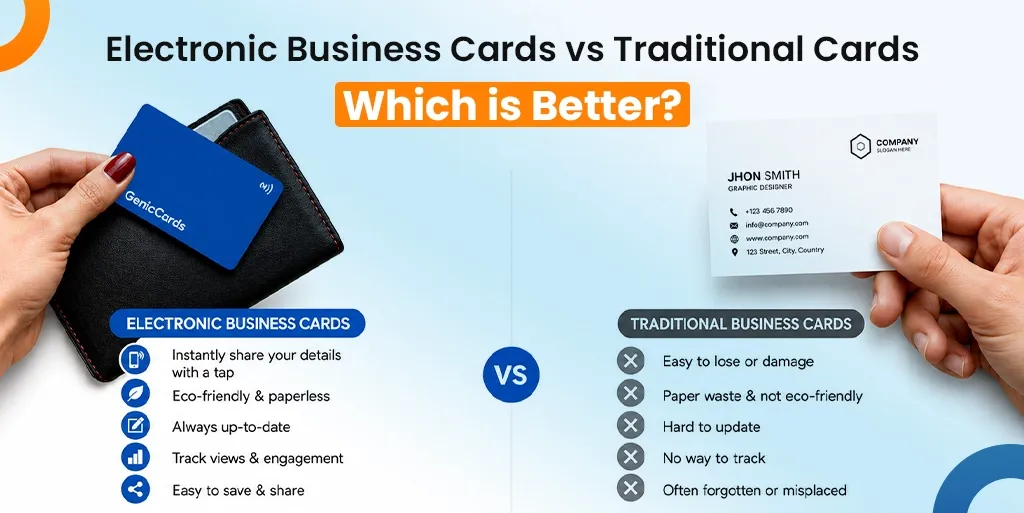
Electronic Business Cards vs Traditional Cards: Which is Better?

Electronic business cards are better for convenience and modern networking, while traditional cards are better for formal situations. Using both is often the best approach.

In a digitally connected business environment like Singapore, the way professionals exchange contact details is rapidly evolving. While traditional printed cards have long been a staple of professional networking, the rise of the smart card is reshaping expectations.

Understanding the differences between electronic and paper business card formats is essential for making the right impression. The choice ultimately depends on how you network, who you engage with, and the image you want to present.

What is an Electronic Business Card?

An electronic business card is a digital version of a traditional card that allows you to share contact details instantly via QR codes, NFC, or links. It often functions as a smart card, allowing users to:

Advantages of the NFC Business Card

Electronic business cards are convenient, cost-effective, eco-friendly, and easy to update, making them ideal for modern networking. Let’s explore the benefits of electronic business cards below:

Instant Sharing

You can share your information immediately through electronic business cards, which offer QR codes, links, and messaging options during networking sessions and virtual business meetings.

Always Up-to-Date

Unlike printed cards, an e-business card can be updated anytime. The system immediately updates your information when you change your position, company affiliation, or contact information without needing to create new copies.

Cost-Effective

The digital business card solution stops companies from paying for printing all their cards repeatedly. Most options require only a one-time setup or a low subscription fee.

Eco-Friendly

The use of digital cards for paper reduction supports Singapore’s growing sustainability initiatives, which the country now prioritises.

Enhanced Branding

A smart contact card lets you build better connections through its clickable links, social media profiles, and multimedia content, which helps you develop a modern professional appearance that stands out.

Disadvantages of the NFC Business Card

Digital business cards depend on devices, may feel less personal, and can be difficult for non-tech users.

Requires a Device

An electronic business card depends on smartphones or internet access. The process of sharing information becomes difficult when either party fails to use devices that work together or stay connected to the network.

Less Personal Touch

The exchange of e-business cards between people seems less official and less likely to create lasting memories than physical card exchanges.

Organisations prefer to conduct in-person meetings because Singaporean businesses follow formal corporate procedures, which affect how people first perceive each other.

Tech Barriers

People experience different levels of digital tool comfort when using these tools. The digital business card solution creates obstacles for users who belong to non-technical sectors and for people who belong to older age groups, which restricts its ability to work across different user demographics.

The existing restrictions show why professionals choose to work with conventional solutions together with digital tools.

What is a Traditional Business Card?

A traditional business card is a printed card that contains essential contact details such as your name, designation, company, phone number, and email.

In Singapore, exchanging physical cards is still an important part of professional etiquette, particularly in corporate and formal settings.

Advantages of the Printed Business Card

Traditional cards offer a strong first impression, a personal touch, and are widely accepted in formal settings.

Strong First Impression

A well-designed card shows professional quality, which makes people believe in your business right when they first see it. The way your brand appears depends on how you design it, what type of paper you use, and how you treat the surface.

Tangible Experience

You can touch a physical card, which creates a different experience than using a contactless business card. The exchange becomes more memorable because people add their own personal touch to the process.

No Technology Needed

People can exchange traditional cards, which they can also keep without needing any technological devices, software programs, or internet connectivity.

Cultural Relevance

In many Asian business environments, exchanging cards is part of professional etiquette. People continue to use printed business cards as their first impression in business dealings because these physical cards enable them to exchange contact details with others.

Disadvantages of the Printed Business Card

Traditional cards can be lost easily, have limited information, incur ongoing costs, and are less eco-friendly.

Easily Lost or Discarded

People tend to lose their physical cards during networking events because they throw them out, which makes these cards lose their ability to provide lasting value.

Limited Information

A printed card can only hold basic details. The printed card cannot show electronic business card features because it does not support clickable links, portfolio displays, or multimedia content.

Ongoing Costs

Your business costs will rise because you need to print new materials every time you update your contact information, which exceeds the expenses of using digital business cards.

Environmental Impact

The continuous need for printing generates paper waste, which makes traditional cards environmentally harmful to produce. Digital alternatives in Singapore follow eco-friendly standards, which people now consider essential for sustainable practices.

Also Read: Reasons to Switch from Paper Cards to Digital Business Cards

Electronic Vs Paper Business Card

Electronic cards offer flexibility and efficiency, while traditional cards provide a personal and formal touch.

Feature Electronic Business Card Paper Business Card
Sharing Method QR, NFC, link, messaging Physical handover
Cost Low long-term Recurring printing costs
Update Flexibility Instant updates Requires reprint
Environmental Impact Eco-friendly Paper waste
Personal Touch Moderate High
Accessibility Requires device No device needed
Branding Capability High (links, media, interactivity) Limited to print

Which One is Better?

Electronic business cards are better for convenience and modern use, while traditional cards are better for formal interactions.

The right choice ultimately depends on your professional needs, industry expectations, and networking style in Singapore.

Why Eco-Friendly Business Cards Stand Out

The contactless business card offers better convenience, sustainability, and cost efficiency when compared to paper cards and digital cards.

The present networking tool offers the most suitable solution for modern business needs because it serves startups, freelancers, and tech-based industry professionals.

An e-business card allows users to share their information immediately, while they can update their details at any time, which makes it an extremely useful tool.

Why Traditional Cards Still Matter

Despite digital growth, traditional cards remain important in formal settings. They offer a personal touch and align with business etiquette, which is still valued in Singapore’s corporate culture.

The Smartest Approach

Rather than choosing one, many professionals now use both. Combining a business card digital option with printed cards ensures flexibility, helping you adapt to both modern and traditional networking situations.

Read Also: Complete Guide to Electronic Business Cards

Conclusion

Overall, the modern market operates with two distinct electronic business cards and traditional cards, which fulfill various business requirements. Digital solutions provide users with operational efficiency together with adaptable systems and eco-friendly benefits, yet traditional printed cards maintain their usefulness when dealing with formal business relationships and personal connections.

People in Singapore need to understand their professional conduct expectations because the nation supports innovative ideas. A method that unites modern elements with standard practices enables you to preserve current trends while you follow the established traditions.

The electronic business card system provides users with easy access, but printed cards continue to serve their purpose during official meetings. The most suitable selection emerges when your networking approach matches your career targets.

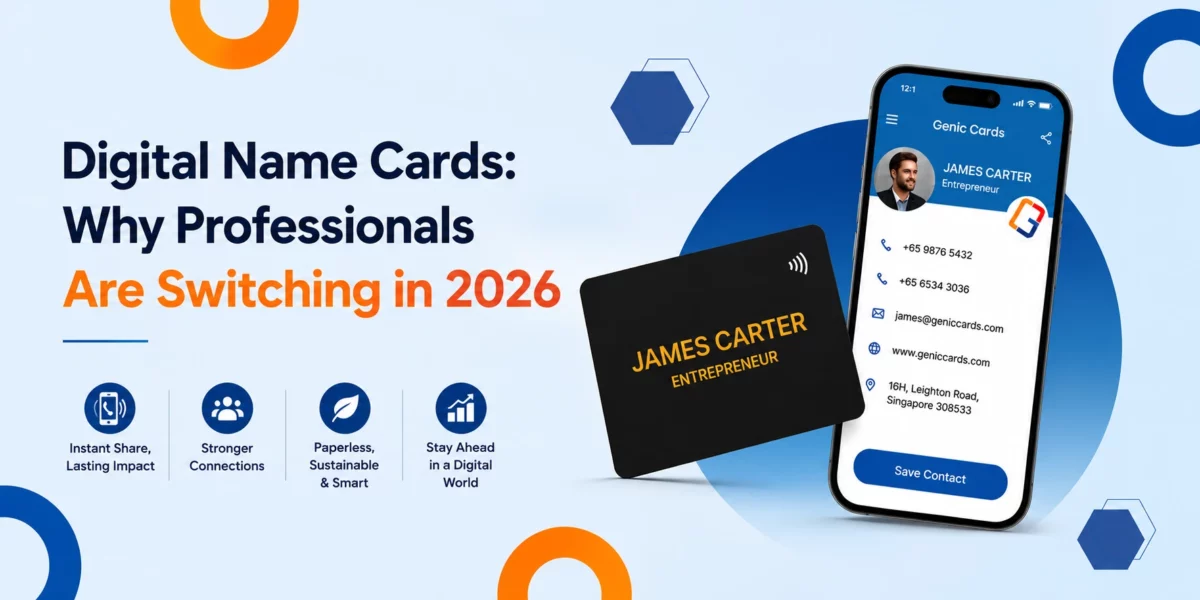
Digital Name Cards: Why Professionals Are Switching in 2026

Professionals are switching to digital cards because they offer faster contact sharing, easier updates, better organisation, and smoother networking across online and offline environments.

A few years ago, paper cards were part of every meeting, trade show, and business event. People carried stacks of cards in wallets, pockets, and laptop bags. fast. Nowadays, professionals want faster ways to connect. This is where the digital name card has become popular.

From freelancers to large firms, many people now prefer digital contact sharing over printed cards.

This guide explains why professionals are making the switch, the benefits of digital name cards, and what the future of name cards may look like.

What Is a Digital Name Card?

A digital name card is an electronic version of a paper business card that allows professionals to share contact details through smartphones, QR codes, links, or messaging platforms.

Unlike paper cards, digital cards can include:

Some people also call it an e-name, electronic or digital visiting card.

The goal is simple: make professional networking faster and easier.

Why Paper Cards No Longer Fit Modern Work

Paper cards no longer fit modern work because they get lost easily, become outdated quickly, and do not support fast digital communication.

Paper Cards Get Lost

Most people have received a paper card and forgotten about it later. Cards often end up:

This creates lost opportunities. A good connection may disappear because the card was misplaced.

Information Changes Quickly

People often change their contact details. With printed cards, every update means another print order, where old cards become useless.

A smart name card solves this problem because details can be updated instantly.

Modern Networking Is Faster

People now expect quick interactions. During meetings or events, few people want to type details manually into their phones.

Digital sharing removes that friction where one scan or tap can save all details in seconds.

What are the Benefits of a Digital Name Card?

The main benefits of digital cards include instant sharing, easy updates, better organisation, eco-friendly networking, and improved professional communication.

Easier Contact Sharing

One of the biggest digital name card benefits is speed. With this card, you can share details during:

This creates smoother conversations, and people spend less time exchanging information and more time building real connections.

Better First Impressions

A clean digital profile often feels more modern than a printed card. Professionals want to show that they understand current work trends. A digital format also allows richer information than a small paper card. An electronic name card can include:

This gives people a clearer picture of who you are and what you do.

Instant Updates

This is one of the strongest benefits of digital name cards. When your role or contact details change, updates happen immediately.

There is no need to:

This is especially useful for:

Better Organisation

Paper cards create clutter. Meanwhile, a digital visiting card keeps contacts stored in one place. This helps professionals stay organised and follow up faster.

Searching for contacts also becomes easier. Instead of sorting through paper stacks, people can search by:

Eco-Friendly Networking

Sustainability matters more in 2026 than ever before.

Millions of paper cards are printed every year, and many are discarded within days. This is why many businesses now prefer eco-friendly digital name cards.

Digital sharing reduces:

For companies with large teams, the environmental impact can be significant.

Also Read: Smart Business Cards: Features, Benefits & Use Cases

Why Switch to Digital Cards?

Professionals switch to digital cards because they support hybrid work, improve follow-ups, and fit naturally into mobile communication habits.

Hybrid Work Has Changed Communication

Many professionals now work across:

Networking also happens online more often. During video meetings, sharing a printed card makes little sense. An e-name card fits modern communication because it works both online and offline.

Mobile Phones Are Central to Business

Phones are now the main communication tool for many professionals. People use them for:

A digital card fits naturally into that workflow. Instead of carrying paper cards, professionals carry contact details on devices they already use every day.

Follow-Ups Become Easier

Strong networking depends on staying connected. Digital contact sharing saves details instantly, which reduces the risk of losing information after events or meetings.

Many professionals find that digital sharing leads to:

This is one reason why more people ask: Why switch to digital cards?

The answer often comes down to stronger professional connections.

Why Are Different Industries Switching to Digital Electronics Cards?

Different industries are switching to digital cards because they improve networking, speed up communication, and support modern client interactions.

Sales and Marketing

Sales teams depend on fast lead capture and quick follow-ups.

A digital visiting card helps sales professionals:

This improves workflow efficiency.

Real Estate

Estate agents often meet clients outside the office.

Digital cards allow them to:

This creates a smoother client experience.

Creative Professionals

Designers, photographers, writers, and consultants often need to showcase work samples. An electronic name card can include:

This gives clients immediate access to examples of work.

Healthcare and Finance

These industries value trust and accuracy. Updated digital contact information helps reduce confusion and improve communication with clients and patients.

Also Read: Reasons to Switch from Paper Cards to Digital Business Cards

What are Common Concerns About Digital Cards

Common concerns about digital cards include internet access, ease of use, and whether people still prefer paper cards.

“Some People Still Prefer Paper”

This is true.

Certain industries and age groups still use printed cards. However, many professionals now combine both methods.

Some carry a few printed cards while mainly using digital sharing.

“What If There Is No Internet?”

Many digital cards can still work through:

This makes them practical during travel and events.

“Is It Difficult to Use?”

Most people already know how to:

This makes digital networking easy for most users.

Are Digital Name Cards the Future of Professional Networking?

Yes, the Digital cards will focus on contactless networking, richer digital profiles, sustainability, and better integration with everyday work tools.

The future of name cards will focus on:

Paper cards will not disappear completely. However, digital formats are becoming the standard for modern professionals.

Several trends are shaping this shift.

More Contactless Networking

People now prefer quick and simple interactions. Contactless sharing supports:

This trend continues to grow across industries.

Richer Professional Profiles

A paper card has limited space. A smart card can include much more information without feeling crowded. Future cards may include:

This will create stronger professional experiences.

Better Integration With Daily Work

Digital networking tools are becoming part of normal business communication. Professionals now expect seamless contact sharing during:

This makes digital cards more useful than static paper cards.

Sustainability Will Continue to Matter

Environmental concerns are influencing business decisions across the world. Many organisations now look for ways to reduce waste. This is one reason eco-friendly digital name cards continue to gain attention.

How to Create an Effective Digital Card

An effective digital card should have a clean design, simple sharing options, accurate details, and a professional appearance.

Keep the Design Clean

Simple layouts work best. Avoid:

Clear information improves readability

Include Only Important Details

Focus on:

Too much information can overwhelm people.

Use a Professional Photo

A good profile image helps people remember you after meetings or events. This adds a personal touch to digital networking.

Make Sharing Simple

The best electronic name card is easy to open, scan, and save. Complicated steps reduce engagement.

Why Digital Networking Is Becoming the New Standard

Professional communication continues to evolve. People want networking tools that are:

This is why more professionals now use a digital card instead of printed cards.

The change is not only about convenience. It also reflects how modern business relationships work. Networking now happens across:

Digital contact sharing supports all these environments.

Final Thoughts

Overall, the move from paper cards to digital networking is growing across every industry. Professionals want better ways to connect, follow up, and manage relationships. A smart visiting card supports those needs in a practical and modern way.  As work habits continue to change, the future of name cards will likely become even more digital.

For professionals in 2026, switching is no longer just a trend. It is becoming part of everyday business communication.

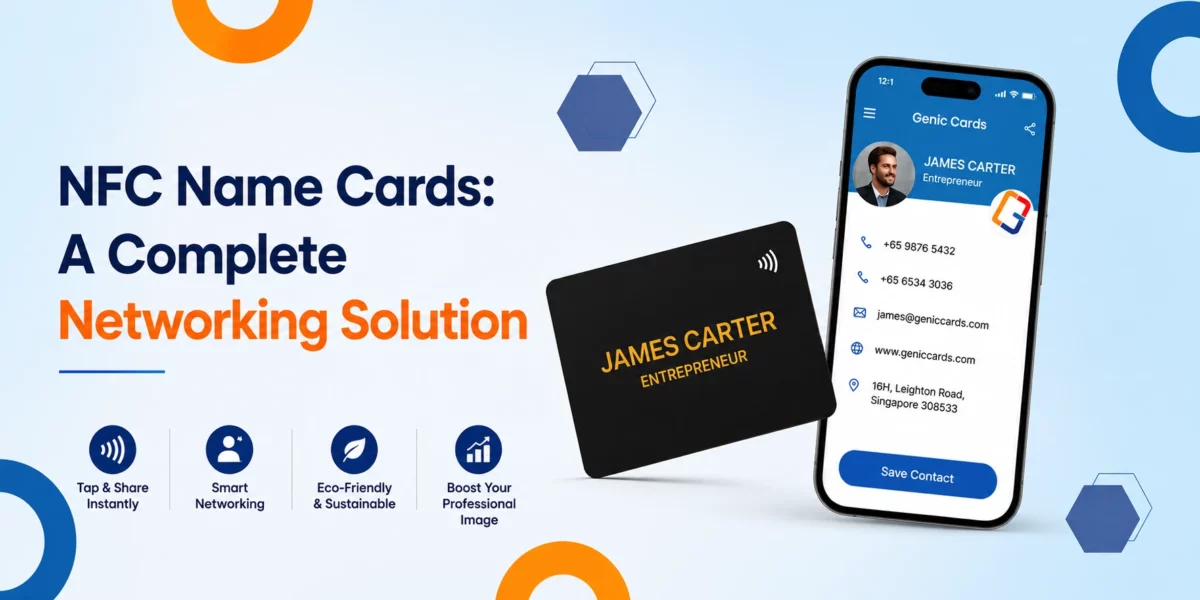
NFC Name Cards: A Complete Networking Solution

Networking has changed. Nowadays, people no longer rely on paper cards alone to share contact details. Many professionals use an NFC name card to connect faster and leave a stronger impression.

A simple tap can share your phone number, email address, website, portfolio, or social media links in seconds. There is no need to type details by hand or carry stacks of printed cards.

An NFC card combines modern technology with convenience. It helps professionals network more smartly and cleanly. Whether you are a business owner, freelancer, consultant, or sales professional, these cards can improve how you connect with others.

In this guide, you will learn how NFC cards work, their key features, and why they are becoming the preferred choice for networking.

What Is an NFC Name Card?

An NFC-based name card is a contact-sharing card that uses Near Field Communication technology. The card contains a small chip that sends information to a smartphone when tapped.

The shared information can include:

Unlike paper cards, an NFC card can store digital information that you can update anytime.

Many professionals now use these cards as part of their daily networking strategy because they offer speed and flexibility.

Also Read: What Is an NFC Business Card and How It Works

How Do NFC-Based Name Cards Work So Quickly?

NFC name cards use a small chip that transfers contact information wirelessly to a nearby smartphone within seconds.

The card contains a small NFC chip. When the card comes close to a smartphone, the chip sends stored data to the device. The phone then opens a digital profile or contact page.

Most modern smartphones support NFC technology. Users only need to tap the card against the phone to receive the details.

The process takes only a few seconds. Let’s understand its working below:

1. Tap the Card

Hold the card near a compatible smartphone.

2. Open the Link

The phone displays a notification or a web link.

3. Save the Details

The receiver can save the contact information instantly.

This smooth process makes networking faster and easier during meetings, events, and conferences.

Why NFC Name Cards Are Growing in Singapore

The demand for NFC name cards in Singapore has increased in recent years. Businesses and professionals in Singapore often adopt digital tools quickly, especially tools that improve efficiency.

Networking events, trade shows, and business meetings are common in Singapore’s fast-moving business environment. Professionals want solutions that save time and reduce manual work.

An NFC card helps users:

Many companies also prefer digital solutions that support sustainability goals.

What Are the Biggest NFC Name Card Benefits?

NFC cards improve networking by offering instant sharing, easy updates, better branding, reduced paper waste, and long-term cost savings. There are many NFC name card benefits for professionals and businesses.

Faster Networking

Traditional cards require manual data entry. This often leads to mistakes or lost information.

An NFC card removes this problem. A quick tap transfers details instantly.

This helps people connect without delays.

Easy Information Updates

Printed cards become useless when details change.

With an NFC card, users can update their information online without printing new cards.

This keeps contact details accurate at all times.

Better First Impressions

A smart name card creates a modern and professional image.

People remember interactive experiences more than standard paper exchanges. A digital tap often feels more engaging and memorable.

This can help professionals stand out during networking events.

Reduced Paper Waste

Many businesses now focus on sustainable practices.

A digital card reduces the need for repeated printing. This lowers paper use and waste over time. An electronic solution supports environmentally friendly networking.

Cost Savings Over Time

Although digital cards may cost more at first, they can reduce long-term printing costs. Businesses no longer need to reorder cards after every job title change, phone update, or company rebrand.

How Does a Digital Name Card Compare to Traditional Cards and QR Cards

Digital name cards offer faster sharing, editable information, and a more flexible networking experience compared to paper and QR cards.

Feature Traditional Card NFC Name Card QR Card
Instant sharing No Yes Yes
Editable information No Yes Yes
Paper-free No Yes Yes
Interactive links No Yes Yes
Contact saving Manual Instant Instant
Long-term use Limited Reusable Reusable
Requires a physical tap No Yes No
Works without NFC support Yes No Yes
Sharing method Hand-to-hand Tap Scan
User experience Basic Smooth and fast Simple and familiar


A digital name card offers several advantages over traditional paper cards. Paper cards still have value in some industries, but digital solutions continue to grow because of their flexibility and ease of use.

What Features Should You Expect from a Smart Name Card?

A smart name card should support contact sharing, social media links, business information, and multimedia content in one digital profile. A smart card can include much more than basic contact information.

Contact Details

Users can share:

Social Media Links

Professionals can connect their:

Business Information

Companies can include:

Multimedia Content

Some digital profiles support:

This creates a richer networking experience.

Why Are Businesses Switching to NFC Networking Cards?

Businesses use networking cards to improve efficiency, maintain branding consistency, and simplify lead sharing during meetings and events.  Many companies now use NFC networking cards for teams and employees.

These cards help maintain consistent branding across the organisation.

Useful for Sales Teams

Sales professionals attend meetings and events regularly. Fast contact sharing helps them connect with potential clients more efficiently.

An NFC card also reduces the risk of losing leads because contact details can be saved immediately.

Helpful at Events and Exhibitions

Trade shows often involve hundreds of interactions in one day.

Using networking cards helps teams exchange details quickly without carrying large numbers of paper cards.

This improves efficiency during busy events.

Stronger Brand Image

Businesses that use digital tools often appear more modern and organised.

A clean and professional networking process can improve brand perception.

How Can Freelancers and Entrepreneurs Benefit from NFC Business Cards?

Freelancers and entrepreneurs use NFC name cards to strengthen personal branding, update details easily, and network more effectively. Freelancers and business owners also gain many advantages from NFC technology.

Easier Personal Branding

A digital profile allows professionals to display:

This helps people learn more about the individual immediately.

Better Flexibility

Freelancers often change services, projects, or contact details. Updating a digital profile is much easier than printing new cards every few months.

Improved Networking Opportunities

Quick information sharing helps entrepreneurs connect with more people during networking sessions. The process feels smooth and professional.

Are NFC Smart Cards for Networking Safe and Private?

NFC smart cards give users control over shared information and allow them to manage privacy settings more easily than traditional paper cards. Some people worry about privacy when using digital networking tools.

An NFC smart card for networking usually shares only the information chosen by the user.

Users can control:

Most cards also work through secure digital links.

Compared to paper cards, digital cards may even offer better control because users can edit or remove information anytime.

What Should You Look for When Choosing an Electronic Name Card?

A good electronic card should be compatible with smartphones, easy to use, customisable, and durable. Not every electronic name card offers the same features. Here are a few things to consider before choosing one.

Compatibility

Check whether the card works with both Android and iPhone devices.

Most modern NFC cards support both platforms.

Profile Customisation

A good card should allow users to customise:

This helps maintain personal or business branding.

Ease of Use

The sharing process should feel simple.

People should receive contact information without downloading apps or following long steps.

Durability

Many NFC cards come in:

The material affects both appearance and durability.

What Does the Future Look Like for NFC Business Cards?

NFC business cards will continue to grow as more professionals adopt digital networking tools for speed, convenience, and sustainability. The use of the NFC card continues to grow across industries.

Businesses now look for networking tools that support:

As smartphones become more advanced, NFC technology will likely become even more common.

Many professionals already prefer digital contact sharing because it saves time and improves convenience.

What Are the Common Myths About NFC Cards?

Many people believe NFC cards are difficult to use or limited to tech industries, but they are simple tools suitable for all professionals. Let’s explore some of the common myths around NFC cards below:

“They Are Difficult to Use”

In reality, NFC cards are simple. Most users only need to tap the card against a smartphone.

“They Replace Human Interaction”

An NFC card does not replace conversations. It supports them by making information sharing faster. Good networking still depends on strong communication.

“They Only Work for Tech Companies”

Professionals from many industries use NFC cards today, including:

The technology works for anyone who networks regularly.

How Can You Use NFC Cards More Effectively?

You can use NFC cards more effectively by keeping information updated, using professional images, and sharing relevant links during conversations. To get the best results from an NFC card, keep these tips in mind, as defined below:

Keep Information Updated

Make sure:

Use a Professional Photo

A clear profile image helps people remember you.

Add Relevant Links

Only include links that support your professional goals.

Too many links may confuse people.

Share During Conversations

The best networking happens naturally. Share your card during meaningful discussions instead of rushing through introductions.

Conclusion

Overall, the NFC name card provides users with an innovative tool that lets them build relationships with others. The system brings together fast operations with user-friendly interfaces and adaptable features into one basic product solution.

Users can update their information at any time through digital cards, which differ from traditional paper cards because they enable instant information sharing.

These systems help businesses create better branding elements while they operate their networks through organised systems. Professionals from different fields, including freelancers and big companies, use NFC networking cards to enhance their relationship development process.

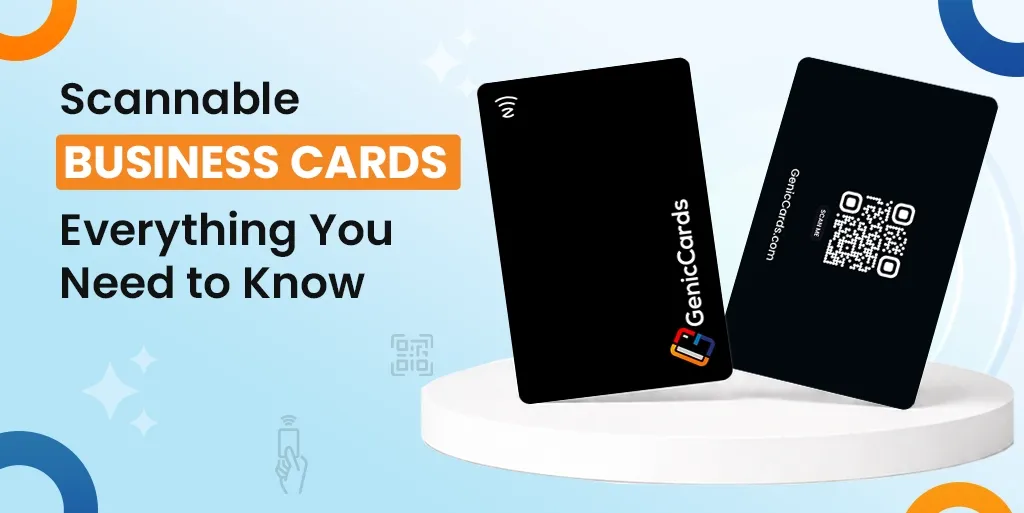
Scannable Business Cards: Everything You Need to Know

A scannable business card is a modern version of a traditional card that allows people to access your contact details and digital profile instantly by scanning or tapping it with a phone. It removes the need for manual entry and makes sharing information faster, easier, and more efficient.

Business cards have changed. What once held a name and phone number now acts as a gateway to a full digital profile. The QR-based business card sits at the centre of this shift. It blends print with digital access and gives people a faster way to connect.

In this guide, you will learn what scannable cards are, how they work, and why more people now use them in place of standard cards.

What Is a Scannable or QR Business Card?

A scannable business card is a card that a phone can read. It contains a code or chip. A scannable QR-based business card is a card that a phone can read to open digital content. It uses a code or chip to link to your contact details, profile, or links, allowing users to access everything in seconds without typing.

Most cards use a visible code, often a QR code, printed on the surface. Others use a small embedded chip. In both cases, the goal is the same: quick access without typing.

This small change turns a simple card into a digital tool.

How Scan Cards Work

To understand how scan cards work, you need to see the simple flow. A code or chip stores a link, a phone reads it, and the content opens instantly. When users scan a business card using their phone, it connects the physical card to a digital profile with no delay.

Step-by-step process

  1. First, a code or chip stores a link
  2. Next, a phone reads the code or signal
  3. Then, the link opens on the screen
  4. Finally, the user can view or save the details

That is all. There is no typing and no delay. In other words, when you scan a business card using your phone, the device acts as a bridge. It connects the physical card to online content in seconds.

What are the Different Types of Scannable Business Cards?

There are several types of scannable QR business cards, including QR code cards, NFC cards, hybrid cards, app-based cards, and image recognition cards.

Each type works differently, but all aim to make sharing details faster and easier through a digital card experience.

QR Code Cards

A QR-based business card uses a printed square code that a phone camera can scan. It is the most common type because it is simple to create and works with almost all smartphones.

It also costs less compared to other options, which makes it a good starting point for anyone new to scannable cards. Many people choose this format as their first step into using a digital scan card.

NFC Business Cards

NFC business cards use a small chip inside the card. Instead of scanning, you tap the card on a phone to open the link.

This removes the need for a visible code and gives the card a cleaner look. It also works faster than scanning in most cases. These cards feel more modern and smooth to use, though they can cost more than a standard QR-based business card.

Hybrid Cards

Hybrid cards combine both QR and NFC features in one card. This means users can either scan the code or tap the card, depending on their device.

It works well for a wide range of users, including those with older phones that may not support tap features. This type offers the most flexibility and ensures that your QR-based business card works in almost any situation.

App-Based Scan Cards

Some cards rely on a dedicated app to scan and store details. When users scan a business card phone, the app reads the card and saves the contact directly.

This type often includes extra features such as note-taking or contact management. It suits people who handle many contacts and want to keep them organised in one place.

Image Recognition Cards

These cards do not use a visible code or chip. Instead, a phone camera reads the printed details using text recognition.

The phone then converts the text into a saved contact. This method keeps the design close to a traditional card while still offering a digital scan card experience. It works best when the print is clear and well-spaced.

Why Scannable Cards Are Growing Fast

The rise of the QR code networking card is not random. It reflects clear shifts in behaviour, technology, and expectations.

The business world adopted scannable cards because these modern business card types offer today’s essential standard for business operations. People need quick and straightforward communication methods that match their current phone activities through phone scanning. The system eliminates manual data entry because it works with both QR business cards and scan cards to create a smooth networking experience.

Businesses now operate through digital platforms, which serve as their main management system. The world has moved away from physical paper storage because people need to obtain accurate information at the present moment of need.

The business card with scanning abilities enables people to store their information in an organised system, which they can modify at any time and access whenever necessary.

What are the benefits of a QR Code Networking Card

The main scannable business card benefits include faster contact sharing, more space for information, real-time updates, better first impressions, and reduced waste. A digital scan card makes it easy to store, access, and manage contact details without manual effort.

Easy Contact Sharing

Typing details is slow and often leads to small mistakes. Smart business cards remove this step and make sharing instant. When users scan a business card using their phone, they can save your number, open your email, or visit your profile in seconds.

This smooth process helps improve follow-up rates because the information is already stored and easy to access.

More Information in Less Space

A standard card has limited space, which restricts what you can share. A digital card solves this by linking to a full profile.

You can include portfolio links, social pages, booking options, and even videos. This turns your card into a complete digital presence rather than just a basic contact tool.

Real-Time Updates

Printed cards cannot be changed once they are made. If your details change, you often need to print new ones. A contactless business card avoids this problem by linking to content that you can update at any time.

You simply update the information behind the card, and the same card continues to work without any changes.

Better First Impression

Users can achieve smooth experiences through quick scanning methods, which produce clean results. The evidence shows that your organisation operates through modern tools, which demonstrate your knowledge of current work methods.

The way you present yourself to clients during meetings, interviews and events will determine how people decide to interact with you after they first meet you.

Less Waste

People tend to lose paper cards before they end up in the trash within a few days. A digital card reduces this waste by storing details directly on a phone.

The system operates at peak efficiency because it needs fewer printing tasks, which helps decrease the need for multiple printings during various time periods.

Difference Between QR vs Scannable Cards

In the QR vs. scannable cards comparison, a QR card is one type of scannable card that uses a printed code, while others use tap or wireless signals. Both serve the same purpose, but differ in design, speed, and how users interact with them.

Feature QR Cards Other Scannable Cards
How it works Uses a printed code Uses a tap or a wireless signal
User action Needs a camera scan Tap or quick detection
Design Code is visible on the card No visible code needed
Speed Fast, depending on the camera Often faster in some cases
Compatibility Works with most phones May depend on device support
Cost Usually low Can be higher

Which One Is Better?

It depends on your needs. A QR-based business card is a strong choice if you want low cost and wide compatibility across devices.

While other types of scan-based business card options work better if you prefer a cleaner design or a tap-based experience.

In both cases, the goal stays the same: to give quick and easy access to your details through a digital scan card.

How to Use a Scannable QR Business Card

To use a smart business card effectively, keep the design simple, ensure the code is easy to scan, test it on different devices, and link it to a clear and fast-loading profile.

Keep the Design Clean

Do not crowd the card. Make the code easy to see and scan.

Use Clear Instructions

Some users may not know what to do. A short line like “Scan to connect” helps.

Test Before Printing

Always test your card on different phones. Make sure the link opens fast.

Link to a Strong Profile

Your card is only as good as the page it opens.

Make sure your page:

Read More: NFC vs QR Code Business Cards: Which Is Better for Networking?

Who Should Use Scannable Cards?

A digital profile card is best for professionals who need quick and effective networking, such as salespeople, freelancers, creatives, and founders. It may be less useful in roles with limited contact sharing, though a digital card can still offer value.

Ideal Users

Less Ideal Users

Some roles may not need them as much, such as:

Still, even in these cases, a simple scan card can add value.

Final Thoughts

Overall, the scannable business card is more than a trend. It solves real problems with traditional cards. It saves time, improves contact sharing, and offers more space for your work.

From a simple QR business card to a full digital card, the idea remains clear. Make it easy for people to reach you.

If you often share your details, this small change can make a big difference.

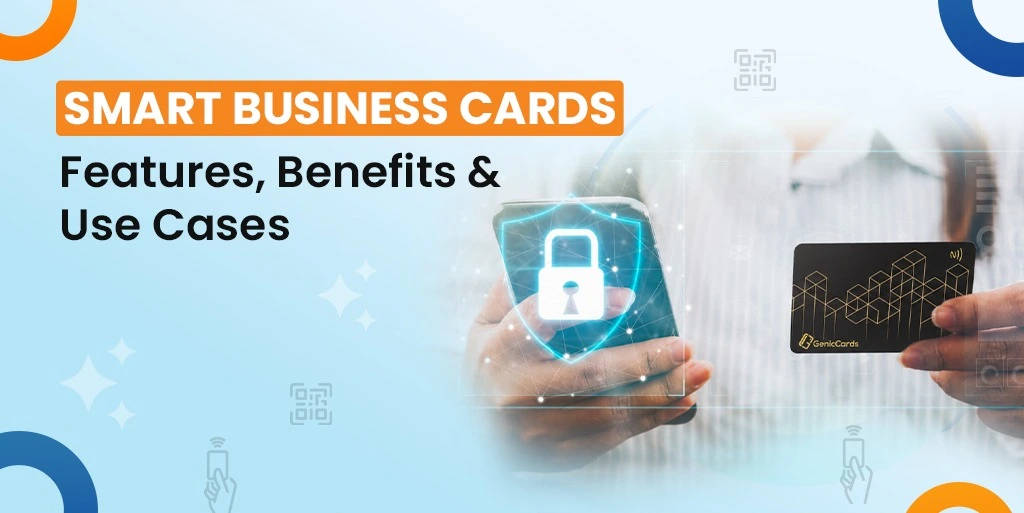
Smart Business Cards: Features, Benefits & Use Cases

Smart business cards are digital tools that let you instantly share your contact details, links, and brand through a tap, scan, or link. They offer easy updates, faster networking, and flexible use across both in-person and online interactions.

You meet someone at an event. You talk for a few minutes. Then comes the usual moment—how do you share your details?

For years, people have relied on printed cards. They work, but they come with limits. They get lost, run out, or go out of date. That is where a smart digital card starts to make more sense.

In this guide, you will learn what a tech-driven business card is, how it works, its key features, and where it fits best.

What Is a Smart Business Card?

A smart business card is a digital version of a traditional visiting card. Instead of handing over paper, you share your details through a phone.

It can work through a tap, a scan, or a link. The person you meet opens your profile on their phone and can save your details in seconds.

Some people call it a digital smart card or a visiting smart card. The idea stays the same. It is a modern way to exchange contact details without paper.

Think of it as a small digital profile that holds:

It is simple, quick, and easy to update.

How a Smart Business Card Works

A business card works by letting you share your contact details through a tap, scan, or link, which opens your profile on the other person’s phone so they can view and save your information instantly.

1. You Share Your Card

You can share your business card in a few ways by:

2. The Other Person Opens It

Their phone opens your profile in seconds.

3. They Save Your Details

With one tap, they can save your contact. No typing needed.

That is it. The whole exchange takes less time than handing over a paper card.

What are the Key Features of a Smart card?

Smart cards offer features like easy sharing, editable details, expanded information space, quick contact saving, mobile-friendly design, and simple branding to improve how you connect and share information. Let’s explore the smart business card features in a more detailed manner:

Easy Sharing Options

The smart card system operates as a useful feature because users can easily share its capabilities with other users. You can tap your card on a phone, let others scan a code, or send it through a message or email.

The system functions properly for in-person meetings and virtual discussions because it requires no additional work from users.

Editable Information

Printed cards become permanent after production, but digital smart cards allow users to make changes whenever they want.

The system requires you to make a single update when your staff member changes their phone number or when they switch roles or move to different company departments.

All people who receive your card will access the most recent version, which helps them save time while avoiding any possible misunderstandings.

More Space for Information

A smart visiting card gives you more space compared to paper cards. You can add website links, social profiles, work samples and booking links without any restrictions.

The system helps people understand your identity and your professional activities through clear communication.

Quick Contact Saving

Another strong feature is how quickly people can save your details. Instead of typing everything manually, they can save your contact with a single tap.

Your details go straight into their phone, which reduces errors and makes follow-ups easier.

Mobile-Friendly Design

Most people open your card on their phone, so it needs to work well on small screens. A smart card is designed to be easy to read, simple to tap, and quick to load. This keeps the experience smooth and user-friendly.

Simple Branding

A modern business card also allows you to show your style. You can add your photo or logo, use your colours, and keep a clean layout. This helps you stand out and makes it easier for people to remember you after the first interaction.

What are the Benefits of a Smart Card?

A smart card helps you share your details faster, keep information up to date, reduce costs, and make stronger connections through a simple digital format. Let’s explore smart business card benefits below:

Faster Networking

One of the biggest advantages is speed. You can meet more people and share your details without delay. There is no need to carry stacks of cards or search through your bag to find one. This is especially helpful at events where time is short and conversations move quickly.

Better First Impression

A smart visiting card feels modern and easy to use. When you share your details with a tap or a quick scan, it stands out. It shows that you follow current ways of working and value simple, smooth communication.

No Printing Costs

The process of creating printed cards requires designers to produce initial prints, which require multiple rounds of reprinting after each data update.

The digital smart card operates without requiring payment for running costs. Users can develop the system through initial development while receiving necessary updates, which maintain operational effectiveness throughout the system’s operational lifespan.

Always Up to Date

Business owners need to grab this crucial smart business card benefit, which operates as their first essential business card function. Your contact information stays fresh, which removes any need to handle outdated phone numbers or past job positions. People always get the newest version when they view your business card.

Easy Follow-Ups

People can reach out to you through follow-up messages after they choose to save your contact details on their phone. The system protects users from card loss while preventing them from forgetting their essential information. Organisations can establish permanent bonds through meetings that staff conduct in brief time periods.

Eco-Friendly Choice

Paper cards often go to waste, especially when printed in large numbers. A modern business card reduces the need for printing, making it a more eco-friendly option.

More Than Just Contact Details

A smart card offers more than basic contact details. You can guide people to your website, show your work, or share a meeting link. This adds more value to each interaction and makes your introduction more useful.

What are the Best Use Cases of Smart Cards?

Smart cards are best used in situations where quick, easy, and reliable contact sharing is important, such as events, meetings, online interactions, and everyday networking.

They help simplify connections, improve follow-ups, and make each interaction more effective. Let’s find out more about smart card use cases below:

Networking Events

People often interact with numerous individuals during their short encounters at busy events. Smart cards enable immediate information exchange between users who receive these cards and the people who want to preserve their details.

Organisations no longer require physical document storage because they have established digital paperless networks, which enhance their communication systems.

Sales Meetings

Sales professionals need to establish their initial contact because it directly affects their ability to succeed in their field.

Smart digital cards provide users with a single platform to exchange information, while they can also present their work and direct customers through their buying process.

The system generates unambitious speech content, which helps users stay on track for their active discussions.

Conferences and Trade Shows

Large events create an overwhelming experience because they involve numerous participants. A modern business card helps people connect with multiple contacts while preventing them from losing their business relationships.

The platform enables you to send hyperlinks that direct users to your service offerings or product range that enhances the worth of every user encounter.

Freelancers and Consultants

Freelancers often need to present their work during introductions. A smart card lets you share your portfolio and add links to past projects. This makes your introduction stronger and gives others a clear idea of what you do.

Remote Work and Online Meetings

Not all meetings happen face to face. With a smart card, you can share a link in chat or add it to your email. This keeps your details easy to access and helps others connect with you later.

Team Use in Companies

Teams can use smart cards to keep branding consistent. Everyone shares the same format and updated details, which avoids confusion and keeps communication simple across the organisation.

Everyday Introductions

Even in casual settings, a smart card is useful. If you meet someone at a café or at a social event, you can still share your details with ease. This makes it simple to turn everyday moments into new connections.

Also Read: How Smart Business Cards Help You Network Better at Events and Trade Shows

Final Thoughts

Overall, A smart business card delivers a basic concept that produces actual effects when people use it for their current networking activities. The system allows users to share their information while they create valuable relationships that others remember about them.

The system provides functional features that deliver direct advantages to users and operates in multiple circumstances, which allows users to connect more effectively during their busy schedules.

A modern business card serves as an intelligent solution that provides businesses with improved network efficiency through its reliable system. The system maintains a basic operational method, which proves efficient because simple designs tend to work best in networking.

Complete Guide to NFC Business Cards in 2026

An NFC business card is a digital card that uses near-field communication (NFC) technology to instantly share contact details, links, and profiles with a simple tap on a smartphone. It provides a faster, more efficient, and modern alternative to traditional paper business cards.

The process operates at a fast speed while maintaining straightforward simplicity, and it delivers an up-to-date experience. Users can share their profile information together with their links and other content through a single touch.

In this guide, you will find information about NFC business cards by understanding how they work, their types, along with their benefits and more in detail.

How NFC Business Cards Work?

NFC-powered business cards work by using near-field communication technology to wirelessly transmit data from a card to a smartphone when placed close together. Let’s find more below:

The Basic Technology

Users can understand NFC cards through their short-range wireless signal, which works like a short-range wireless signal. The card operates without any need for battery power or any type of direct electrical source.

The phone generates a minor electromagnetic field when the device approaches a smartphone. The NFC card system activates its internal components through this energy source to produce responses.

The card contains a small microchip that holds data and an antenna element that enables data transmission where phone receives this information without any delay, which creates a fast and uninterrupted user experience.

What Happens During a Tap

The process of tapping a business card on a phone results in a straightforward and smooth operation. The phone recognizes the NFC chip when the card moves toward the device, which enables the device to make a connection.

The phone activates its stored data within one second to open a link or present a digital profile. Your details will be shown to users who choose to bypass the typing and code scanning process.

In most cases, this works without the need to install any app, which makes the experience easy for both sides.

What Can Be Shared

An NFC card stores information that exceeds standard contact details. The system enables users to access their entire digital profile through a solution that goes beyond standard name and phone number entries.

You can add your email address and website along with social media profiles and professional portfolio collections, to this platform. The card enables users to access digital content because it connects them to virtual content, which lacks physical space limitations that paper cards face.

The system operates as a versatile networking instrument that provides improved operational abilities for contemporary business operations.

What are the Different Types of NFC-Based Business Cards?

Static Cards

A static card stores fixed data. Once written, it stays the same unless you rewrite it. These are simple and low-cost, but they are less flexible.

Dynamic Cards

A dynamic card links to an online profile so that you can update the details anytime. Most modern NFC networking card options use this method, which allows you to keep your data fresh.

Material Options

You can choose different materials:

The material does not change how the business card NFC works. It only affects the look and feel.

What are the Benefits of NFC Cards?

There are several NFC card benefits, such as offering a fast, secure and contactless interaction for payments. Its key benefits are real-time updates, environmentally friendly, fast and easy sharing. Let’s explore:

Fast and Easy Sharing

The system provides users with fast operational ability through its user-friendly interface. The NFC business card enables users to exchange their information through a simple tap. Users can scan their codes without needing to type numbers or open their device cameras.

The process runs without any interruptions, which takes approximately one second to complete.

Staff members need this system for their work because it lets them reach out to their clients quickly when they have limited time during their busy work events.

Always Up to Date

The system keeps users updated with their current information, which operates as its main advantage. A dynamic NFC name card allows you to change your details at any time.

The need for card printing disappears when you decide to change your job, update your phone number or modify your website. The same card will always point to your latest information, which makes it far more practical over time.

Less Waste

NFC cards also help reduce waste. Businesses must print new business cards every time their current cards become single-use items, which people discard after first usage.

A business card solves this problem by creating an eco-friendly solution. People can decrease their paper consumption through this straightforward method, which also helps protect the environment.

More Information

The system provides users with access to extended information, which serves as its main benefit. Users need to provide basic information because a paper card contains only a small area for information.

Business card NFC technology allows users to access an entire digital profile through its connection system.

The platform allows users to share various content types, which include links, social media pages, videos and portfolio displays. The method helps other people understand your personality along with the value you bring to the situation.

Better First Impression

People can improve their social image by using NFC networking cards, which serve as their social identification.

The evidence demonstrates that you understand current technological resources while you maintain an open perspective about handling business operations. Meetings and networking events become your opportunity to make a strong impression on others through this particular strategy.

The first impression that develops from this method creates an unforgettable experience that people will remember their meeting with you.

Read Also: What Is an NFC Business Card and How It Works

What is the Difference between NFC and QR Code Business Cards

Many people compare a business card with a QR code because both allow quick sharing of information.  While they serve a similar purpose, they work in different ways and offer different user experiences. Understanding these differences can help you decide which option suits your needs.

Feature NFC Business Card QR Code
Interaction Method Works with a simple tap. The user just brings their phone close to the card, and the data opens automatically. Requires scanning. The user must open their camera or a scanning app and point it at the code.
Ease of Use Very simple and smooth. No need to align anything on the screen. Works in one natural motion. Slightly less smooth. Users need to position the camera correctly and wait for the scan to register.
Device Compatibility Works on most modern smartphones with NFC enabled. Some older or budget phones may not support it. Works on almost all smartphones with a camera, making it widely accessible.
Cost Higher upfront cost since it requires a physical card with a chip. Very low cost. A QR code can be created and printed for free or at minimal expense.
Durability Long-lasting. The card can be reused many times without wear affecting performance. Depends on the print quality. A damaged or faded QR code may not scan properly.
User Experience Feels modern and seamless. The tap action creates a smooth and engaging interaction. More familiar to users. Most people already know how QR codes work.
Offline Use Can trigger stored data or a link even without internet, depending on setup. Usually requires an internet connection to open links after scanning.

Which One Is Better?

An NFC card offers a smoother and more modern experience, especially in face-to-face interactions. It feels quick and effortless, which can leave a strong impression. On the other hand, QR codes are more universal and cost-effective, making them a reliable option for wider reach.

In many cases, combining both works best. You get the speed of NFC and the accessibility of QR codes, which ensures that you can connect with almost anyone, regardless of their device.

How to Use an NFC-Powered Business Card?

This NFC card guide shows how to get started.

Step 1: Choose the Right Card

Think about your needs:

Choose a style and material that fits your brand.

Step 2: Set Up Your Card

Add your details to the card. This may include:

This step is simple and takes only a few minutes.

Step 3: Share Your Card

Tap your card on a phone which make sure the phone has NFC turned on. Most modern phones support this.

Step 4: Update When Needed

If you use a dynamic NFC name card, you can change your details anytime. This keeps your profile current.

What are the Design Tips for NFC-Based Business Cards?

Keep It Simple

Do not overload the design, as a clean look works best.

Use Clear Branding

Add your logo and colours, which help people remember you.

Make It Easy to Read

Use clear fonts and enough spacing.

Think About the Digital Side

Your card links to a profile that makes sure that the page looks good and works well.

Final Thoughts

Overall, an NFC business card serves as a modern networking tool that goes beyond its basic function as a business card. The tool enables people to connect through its advanced networking features, which represent the current state of technology.

The platform enables users to share their content through an easy and quick process. You gain total control of your personal data through this system.

The NFC business card guide demonstrates that people derive value from these cards because they apply them to their activities. The system enables users to strengthen their interpersonal relationships through its appropriate application.

The NFC-based name card will become more popular because people now use digital tools for their activities. The main purpose stays constant when you select either a basic or complex solution because you want people to remember you and contact you easily.

What is a Digital Business Card and How Does It Work?

The way we distribute contact information has evolved during the present time. People still use paper cards, but these cards do not match the way people interact with each other today. The modern workplace requires staff to exchange information through various digital tools, which demands quick access to accurate data.

Organisations need to create digital business cards that work as their initial contact point with their target audience. The process of contact storage becomes evident when you scan a QR code, tap your phone or click a link that leads to contact information retrieval.

The process demands more than basic information exchange to reach its completion. The guide explains digital business cards through two main sections, which show their operation and explain why people choose digital cards instead of traditional paper-based versions.

What is a Digital Business Card?

A business card is a modern way to share your contact details using your phone or a link, which replaces the need for a printed card. Instead of handing over paper, you send or show your details in a digital format. This can include:

Also Read: What Is a Digital Business Card and Why It’s the Future of Networking

Why Digital Business Cards Are Becoming Popular

People expect speed and ease. A paper card does not meet that need anymore. Let’s explore a few reasons why the business card is growing fast:

Easy to Share

You do not need to carry anything. Your phone is enough, as you can share your details in seconds.

Always Updated

With a paper card, changes mean reprinting. With an e business card, you update once, and it stays current.

More Than Just Contact Details

A business card digital format can link to your work, your profile, or your calendar. This adds value to every interaction.

Works in Any Setting

You can share your details in person or online. This suits both remote and face-to-face meetings.

How Digital Business Cards Work

Understanding how digital business cards work is simple when you break the process into clear steps. Each step focuses on making it easy to share and save contact details without effort.

Step 1: Create Your Digital Business Card

You start the process of creating your business card by entering your essential contact information. You need to provide your full name, professional title, business affiliation, contact number, and email address.

You can also provide additional details, including your website address and your social media profile links. So you need to select your card appearance after providing all information. Users can upload pictures while selecting colour options to build their preferred design structure.

The design objective requires complete organisation because it must present information that readers will understand through a quick visual assessment.

Step 2: Share Your Card Instantly

You must select the best card distribution method that fits your specific business circumstances once you finish creating your card.

You can show a QR code for someone to scan, send a link through a message or email, or use tap technology by bringing your device close to another phone.

The system will display your card within two seconds on their device screen through any of the three methods.

Step 3: Let Others Save Your Details

The other person can save your contact information to their phone after they open your card.

This usually happens with one tap. It removes errors and saves time. Your details are stored correctly without any effort.

Step 4: Keep Information Updated

The main feature of an electronic business card allows users to update their information whenever they want.

You need to perform a single edit when your phone number, job position or company affiliation undergoes any changes. People who access your card after you make changes will receive access to your updated version.

Step 5: Track Basic Engagement

Some e business card formats also show simple activity. The system tracks when users open your card and which links they decide to click. This helps you understand if someone is interested or plans to follow up.

Key Features of a Digital Biz Card

A business card in a digital format offers more than just contact details. It comes with features that make networking easier.

Real-Time Updates

You can change your details at any time. Your contacts always see the latest version.

Custom Design

You can match your card to your personal or business style. This helps you stand out.

Interactive Elements

You can include links to:

This turns your card into a small hub of information.

Contact Saving

Your details can be saved with one tap. This removes friction and saves time.

Digital Business Card Benefits

There are many digital business card benefits that make them a strong choice today.

Saves Time

Sharing details takes seconds as there is no need to search for a card or type information.

Reduces Cost

Printing cards again and again can add up. A digital card removes that cost.

Supports the Environment

Less paper means less waste. This is a simple step towards more responsible choices.

Improves Accuracy

Manual entry often leads to errors, but a digital format keeps information correct.

Better Engagement

You can include links and content that give people more reasons to connect with you.

When to Use a Digital Business Card

A digital card works well in many everyday situations where quick and easy sharing matters.

Networking Events

At events, you often meet many people in a short time. A card in digital format allows you to share your details in seconds using a QR code or tap. This helps you connect faster without running out of cards.

Online Meetings

During virtual calls, you can send your electronic business card through chat or email. This makes it easy for others to save your details without interrupting the conversation.

Sales Conversations

In sales, first impressions matter. An e business card lets you share links to your products, services, or booking page, giving more value than basic contact details.

Social Media

You can add your card link to your profile and let people reach you directly and view your details anytime.

Common Questions About Digital Business Cards

Are Digital Business Cards Secure?

Most e-business card formats are safe if they use proper protection. It is important to choose a secure setup and avoid sharing sensitive data.

Do They Replace Paper Cards?

Not fully. Some people still prefer paper. But the business card is becoming the main choice in many industries.

Do You Need an App?

Not always. Many digital cards work through links or built-in phone features.

Best Practices for Using a Digital Business Card

To get the most from your digital card, follow a few simple practices that keep your information clear and useful.

Keep It Simple

Only present the most essential information, which should include your name and position, together with your primary communication channels. A clean card is easier to understand and leaves a better impression.

Use Clear Design

Make sure your text is easy to read. Choose simple colours and a neat layout. The design should stay free of unnecessary elements because users need to locate essential information quickly.

Add Useful Links

Include links that offer value. This could be your website, portfolio, or a booking page. These links enable users to proceed with their next required step.

Keep It Updated

Check your details often. You should update your information immediately when any changes occur because this practice keeps your data both accurate and trustworthy.

The Future of Digital Business Cards

The way people connect will keep changing. The digital card will likely grow with it.

Smarter Integration

In the future, a digital business card will connect more deeply with everyday tools. Contact details may sync directly with phone books, email platforms, and simple customer systems. This will reduce manual work and make follow-ups quicker.

Clearer Interaction Tracking

Tracking features will become more refined. Users may see when their card is opened, how often it is viewed, and which links get attention. This helps people understand interest and improve how they connect with others.

More Personalisation

Design and content options will expand. A card in digital format may adjust based on who views it or where it is shared. This makes each interaction feel more relevant.

Growing Digital Demand

As work and communication shift online, the need for quick and simple sharing will rise. An electronic business card will become a natural part of daily networking.

Final Thoughts

Overall, A digital business card replaces the place of traditional paper cards. People now connect through a digital platform, which this tool matches perfectly.

So, digital cards serve as the modern equivalent of business cards, which you can easily understand. People can use this system to access their identification details while learning how to reach their contact numbers through an automated process which operates at high speed.

The business card benefits make it clear why more people are making the switch. The system allows users to save their work time while slashing their business expenses and building better relationships with their professional network.

The system enables users to build links that stay straightforward and functional for today’s professional working environment.

Why Every Singapore Business Needs a Smart Digital Card Today

Singapore business events now demonstrate a complete transformation of their operational systems. People have reduced their practice of distributing paper business cards to others at social events.

Most people now share information through phone taps and quick link sharing methods. The transition brings more than simple advantages because it creates an entire transformation in business operations.

The digital business card has evolved from its initial trend status to become a permanent part of Singapore’s business environment. People need contemporary networking tools that include this resource as their fundamental requirement. Businesses from small operations to big organisations now choose smart systems to share their contact details and build business relationships.

In this blog, you will explore why companies should use digital business cards in Singapore and what elements make these cards successful while showing their role in future workplace trends.

The Shift from Paper to Smart Networking

The old way is fading

Paper cards have served businesses for years. They are simple and familiar, but they also come with limitations, like:

In a fast-moving business environment like Singapore, these limits create friction.

The new way is faster and smarter

A smart business card solves many of these problems, which allows professionals to:

This shift is not about replacing paper alone, but it’s about improving how people connect.

Why Singapore Businesses Need Digital Name Cards

1. Speed matters in a fast business environment

Singapore operates at a fast pace, which defines its working culture. The organisation conducts its meetings at high speed while staff members make immediate choices. The process of sharing contact information operates independently from the rest of the system.

With a digital business card in Singapore, you can:

This creates a smooth experience for both sides.

2. First impressions are now digital

Your business identity no longer lives on paper. Organisations need digital displays to fulfill their operational requirements.

An e-name card allows you to present:

All in one place.

You present an enhanced self-representation through digital means that surpasses the limited information found on printed cards. The method allows you to create a distinct personal identity, which becomes crucial for businesses operating in competitive markets.

3. Easy updates keep information accurate

Paper cards present a major issue because they become useless when their information stops being correct.

Nowadays, organisations need to modify their work duties as telephone numbers become different and their business operations expand.

A smart card allows you to modify your information right away through its update function. The latest card version becomes visible to every person who possesses your card.

This ensures the system keeps all data up to date while reducing the chance of missing business opportunities and stopping any requirement to print new materials.

The Business Value Beyond Contact Sharing

1. More than just a card

A digital business card in Singapore is not just a way to share contact details, but nowadays it has become a central hub for your professional identity.

You can include:

This turns a simple interaction into a deeper connection.

2. Better lead capture

When you meet someone, the goal is not just to exchange details but to build a relationship.

An e-name card can help capture leads in a structured way. Instead of collecting cards and sorting them later, contacts are stored instantly, which reduces the risk of losing valuable connections.

3. Supports team-wide consistency

For businesses with teams, consistency matters.

A smart card ensures that:

This creates a stronger and more professional image.

Smart Business Card Advantages 2026

Looking ahead, the role of digital cards will grow even more. Below are the key smart business card advantages for 2026 that businesses should prepare for.

1. Data-driven networking

The upcoming network operations will depend on data to perform their functions.

Digital cards function as tracking tools that enable users to monitor different aspects of their cards, like:

The system helps companies to discover their successful strategies, which they can use to fulfill their business methods.

2. Seamless integration with digital tools

Nowadays, business operations have started to link their tools together at higher levels.

A digital business card in Singapore can fit into:

This generates better operational efficiency because it eliminates manual work.

3. Contactless interactions are here to stay

The market for contactless solutions has grown rapidly during the past few years. People have made this behavior their standard way of operating in everyday life.

An e-name card supports:

The company operates according to current business standards.

4. Stronger personal branding

Business owners now develop their personal brand through the same growth process that their organisations need to develop.

People can share their professional abilities through smart business cards, which display their professional abilities, their built-up achievements, and their produced content. People can create stronger bonds through this process.

Sustainability Matters More Than Ever

1. Reducing paper waste

Singapore places a strong focus on sustainability as businesses are expected to reduce waste where possible.

Paper cards contribute to:

Switching to a digital business card helps reduce this impact.

2. Aligning with modern values

Clients and partners care about how businesses operate.

Using an e-name card shows that your business:

This builds trust.

Cost Efficiency for Growing Businesses

1. Printing costs add up

For many businesses, printing cards is a recurring cost. Every update requires:

A smart card removes these repeated expenses.

2. Scalable for teams

As businesses grow, managing physical cards becomes harder. A digital business card in Singapore scales easily:

This is especially useful for sales teams and large organisations.

Better Networking in a Digital-First World

1. People expect convenience

Modern professionals prefer simple and quick interactions.

An e-name card meets this expectation by:

2. Works across industries

From finance to real estate to tech, digital cards are useful in many fields.

They support:

This flexibility makes them a strong choice for any business.

Overcoming Common Concerns

“Paper remains the preferred choice for certain individuals.”

People still choose paper even though technology has advanced.

Businesses have started to use both options because they operate with digital and physical methods. The future will establish digital communication as the main operational system.

“Is it hard to use?”

All smart business card solutions come with simple user interfaces. While smartphone users can access digital card functions through their devices.

“Will it replace personal interaction?”

The system works to improve human relationships instead of changing them. The system operates to improve human relationships through better communication methods.

Also Read: How Smart Business Cards Are Changing the Way Singapore Networks

How to Make the Most of a Digital Business Card

1. Keep it simple

Do not add too much information to your card. Focus on:

2. Update it often

Make sure your digital business card always reflects your current role and services.

3. Use it consistently

Use your e-name card in:

The more you use it, the more value you get.

4. Think beyond contact sharing

Use your card as a tool to:

The Future of Business Cards in Singapore

A Digital-First Standard

Singapore continues to move towards a digital-first economy. Businesses now use tools that boost their operational speed while decreasing their need for hands-on work.

A digital business card in Singapore is set to become a standard part of professional interaction.

The design works effectively with mobile devices because it allows users to share content immediately through any available network connection.

Smarter and More Connected

The future vision will establish meaningful relationships that will surpass basic contact information sharing.

The smart business card system will connect to platforms that handle relationship management operations.

The system enables teams to monitor all their communications while maintaining their organisational structure through automated processes that require no additional work.

Rising Role of Personal Branding

Professionals now dedicate more attention to their self-presentation methods. Users can display their work samples, professional abilities, and personal details through e-name cards, which function as digital business cards.

The process generates enduring emotional responses that help people remember their experiences more strongly.

A Clear Shift Ahead

Digital cards will become mandatory for all industries when people start using digital cards instead of their traditional habits.

Also Read: How Smart Business Cards Help You Network Better at Events and Trade Shows

Conclusion

The way businesses connect in Singapore will continue to evolve. The increasing need for fast and better results has made paper cards less useful. A system of digital business cards in Singapore available in Singapore allows users to maintain their business information during these changing times.

The platform enables users to build professional relationships through better communication, enhanced network connections, and improved business visibility. People need to show their capabilities through business cards and e-name cards because their required skill level keeps rising for these essential workplace competencies.

Organisations that adapt to change first will achieve better partnership development and operational control. The transition stands apart from following any current fashion trends. The organisation needs to select an intelligent method which brings superior outcomes when working in today’s changing business world.

loader